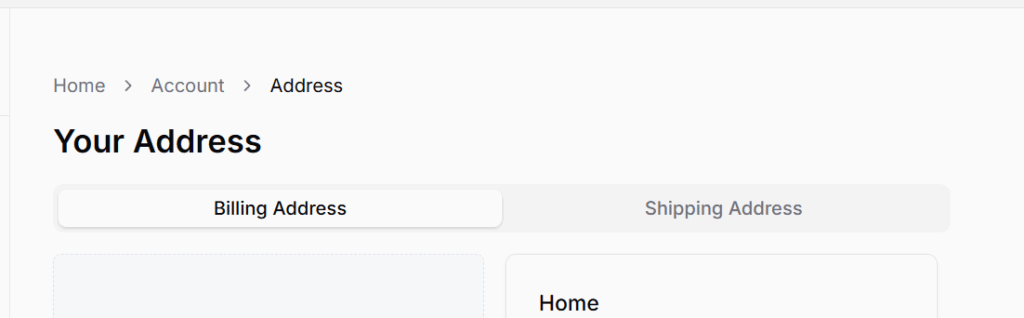
Customers can manage their Billing and Shipping addresses in this section. These addresses are used for order placement and account-related delivery preferences.
To access this page, go to Dashboard from the avatar menu and click on Addresses. Breadcrumb trail: Home / Account / Addresses
The page includes two tabs:
Billing Address
Shipping Address
Each tab maintains separate address lists and forms. Users can add multiple addresses and define one as Primary.
Adding a New Address
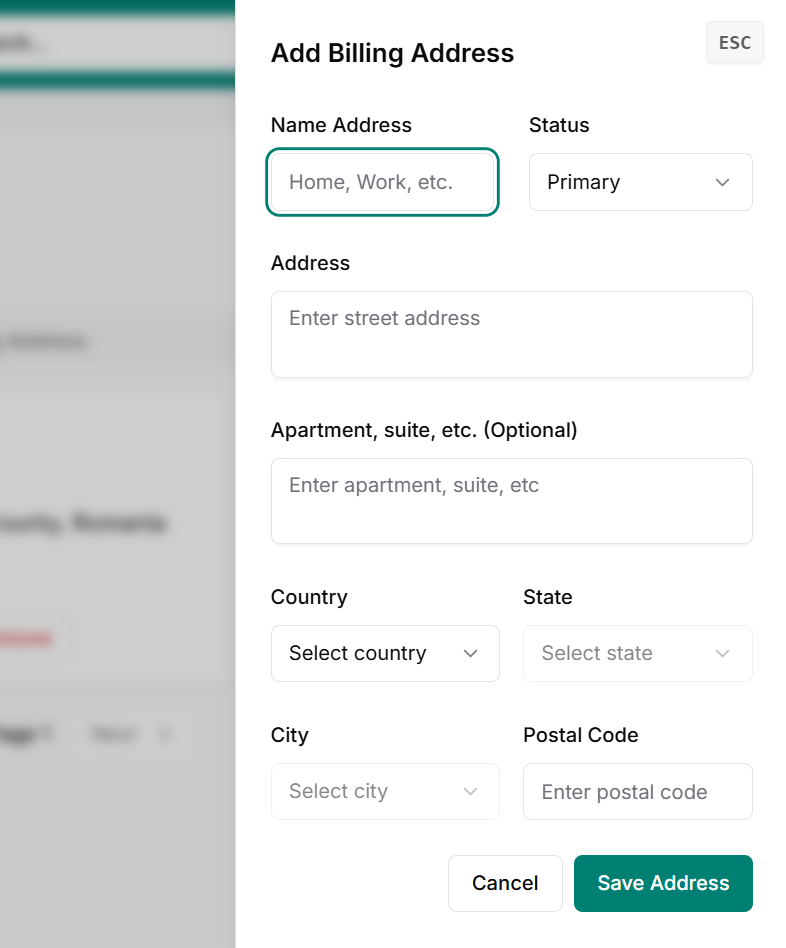
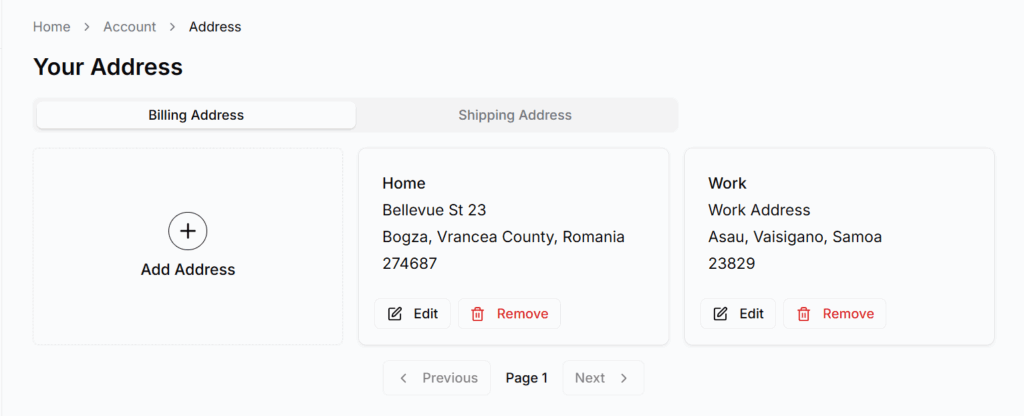
Each tab includes a “+ Add Address” card. Tapping it opens a drawer from the right with a form.
Address Form Fields:
Address Name (e.g., Home, Work) Status: Primary or Secondary Full Address Apartment or Suite (optional) Country, State, City Postal Code Buttons: Cancel or Save Address
After saving, the address appears as a new card alongside the existing ones.
Key Notes
Only one address can be marked as Primary per tab.
Users can manage (edit or delete) saved addresses directly from the cards.
Saved addresses are used automatically during checkout.
Billing and Shipping addresses can be the same or different.
Best Practices
Use clear names like “Home” or “Office” for easy recognition.
Always keep one address marked as Primary.
Keep your addresses up to date to avoid delivery issues.