
When you click on any product. You’ll be taken to the Product Detail Screen, where you can explore everything about the item before making a purchase decision.
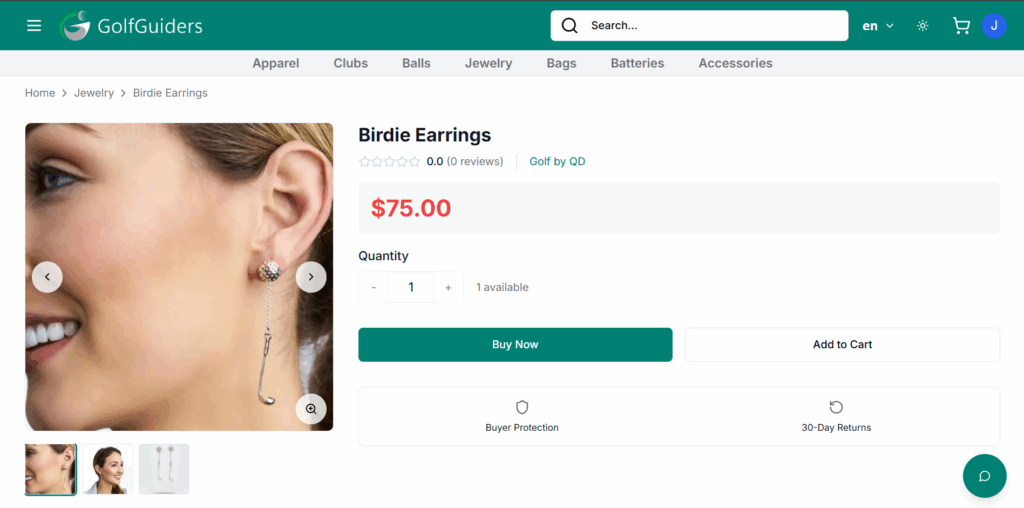
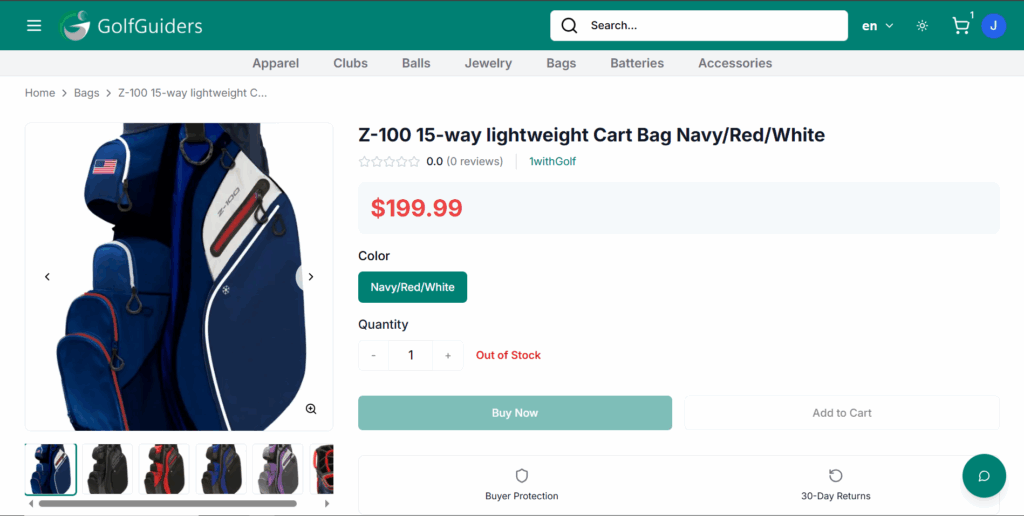
You can’t add to cart or make any purchase if the product is out of stock
Product’s stock updated real-time as you add them in cart or make purchase
Customization Options
If the product has variants like Size or Color, you’ll see:
- Size Options: Small, Medium, Large, etc.
- Color Choices: Visual swatches or names like Red, Blue, etc.
You can also set:
- Quantity: Specify how many units you want to purchase.
All selections dynamically update the Total Price displayed at the bottom, ensuring you know exactly how much your chosen configuration will cost.
Add to Cart
Once you’ve customized your preferences (size, color, quantity), simply tap the Add to Cart button. This will add the selected product variant to your Cart.
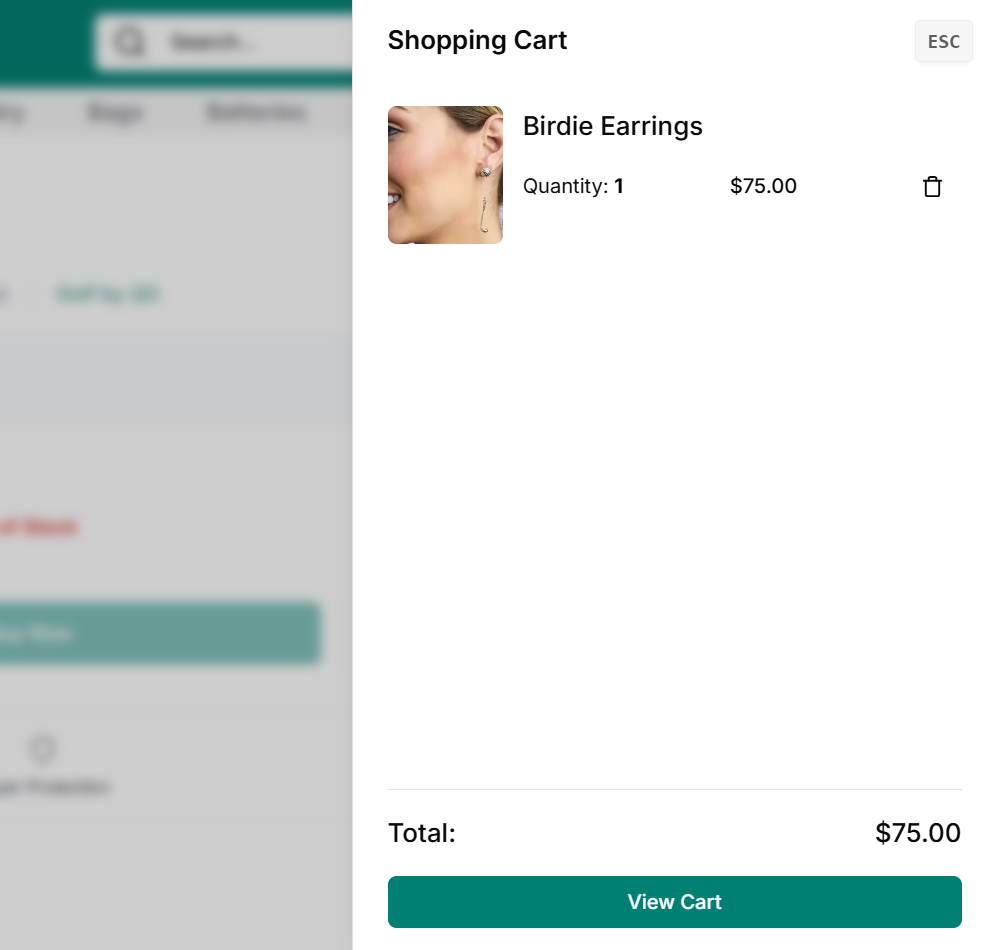
You can click the Shopping cart icon from the navigation’s right-side, to get a brief overview of your cart items
You can remove items by clicking Trash icon from each product
You can click “View Cart” button to go to Cart page
Buy Product
the Buy button instantly adds the selected item to your cart and redirects you to the checkout process, helping you complete your purchase quickly without browsing further.
Best Practices
- Always review product images, title, and description carefully.
- Check price, availability, and any discounts mentioned.
- Read customer reviews and ratings for better understanding.
- Use variant selectors (size, color, etc.) if available before buying.
- Click Buy only when you’re ready to proceed to checkout.
- Check return/refund policy if unsure about the product.
Related Topics
- Learn Product details on mobile app
- How Access Cart Page?