
Leagues help organize and group events within a community. They act as categories or series under which multiple events can be listed. Only the community creator has access to manage leagues from the Manage Community dashboard.
Purpose
- Keep the community organized and structured
- Group related events under one banner (e.g., “Asian League”, “Junior Championship Series”)
- Help participants easily track tournaments under a specific theme or goal
Access
Side Menu > Manage > Your Community > View Leagues
Only visible to community creators.
Leagues Management Features
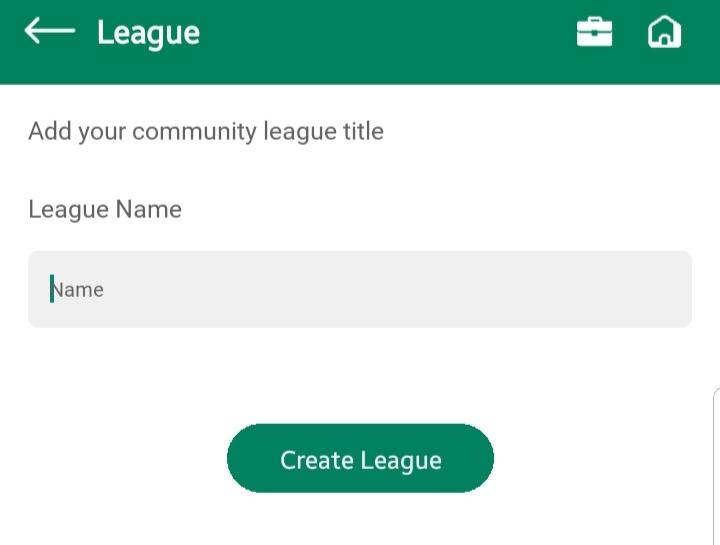
Create a League: Opens create league screen where you can
- Enter the league name in the textbox
- Tap Create League to instantly add it to the league list
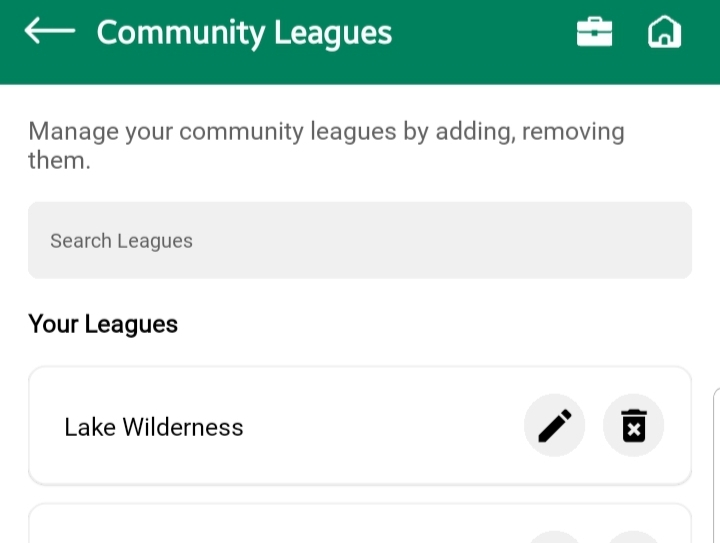
View Leagues List: All created leagues appear in a list format
Each league entry has options to:
- ✏️ Edit: Modify the league name
- 🗑️ Delete: Permanently remove the league
Assigning Leagues to Events
- When creating a new event in the community, a dropdown menu appears with the list of existing leagues
- Select any league to associate it with that event, Learn more about creating event
Notes & Best Practices
- There’s no undo for league deletion – confirm before removing
- Use meaningful league names that reflect the type or region of events (e.g., “Winter Tour”, “Pro Circuit”)
- Deleting a league will not delete associated events, but the event will no longer be linked to any league
- Only leagues created by the community owner can be used within that community