
This screen shows only the tournaments you created or were invited to. There is no public browse of all tournaments — visibility is strictly by creation or invitation.
Note:
This feature has recently received improvements in UI, functionality, and user flow.
We are currently aligning the documentation with these updates and will share the revised version shortly.
Access
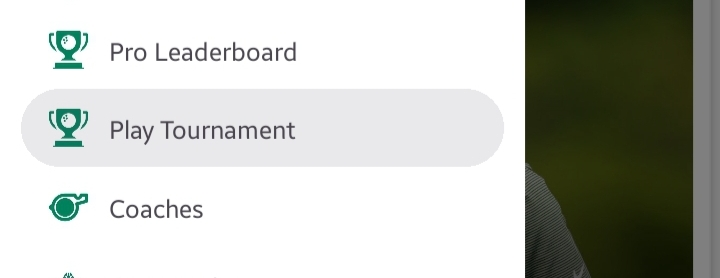
Sidebar > Play Tournament
Overview
The screen contains three role-based tabs:
- Organizer — Tournaments you created.
- Co-organizer — Tournaments where you were invited as a co-organizer.
- Player — Tournaments where you were invited as a player.
Each tab lists the tournaments relevant to that role only.
Tournament Card (what you see)
User will be able to see tournaments card in each tab – depends on created or invited in as player / co-organizer
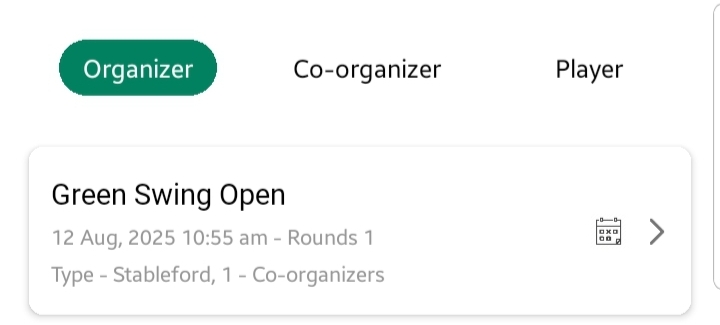
Each tournament card displays:
- Tournament name
- Date & time
- Venue (golf course)
- Number of rounds
- Scoring method
- Number of co-organizers
- Status (Not started / Started / Ended)
Quick action: Tap a card → opens the Tournament Dashboard
Create Tournament
- Created tournaments appear in the Organizer tab for the creator and send invitations to listed co-organizers and players.
- Create Tournament button is available to users who want to organize events. learn more about creating tournament
Edit Tournament
The Edit feature is available only to the organizer (the person who created the tournament) and can only be used before the tournament begins. To access this, the organizer can swipe left on the tournament card, which will reveal two options: a pencil icon to edit the tournament and a trash icon to delete it.
Delete Tournament
The Delete feature is also available only to the organizer (the person who created the tournament). Unlike editing, deletion is not time-limited—the organizer can delete the tournament at any time. To access this, the organizer can swipe left on the tournament card, which will reveal two options: a pencil icon to edit the tournament and a trash icon to delete it.
Notes
- Users see only tournaments they created or are explicitly invited to (co-organizer/player).
- Invitations send in-app notifications and emails to the invited users.
- No public discovery of other users’ tournaments is available.
Best practices
- Organizers should keep tournament details (time, course) accurate when creating to avoid confusion.
- Check your Co-organizer and Player tabs regularly for new invites.
- Update any settings or permission before starting time of the tournament.