
This section is for brand owners to control their business on the platform. It is designed to let you create your brand, add trip packages, and handle requests from users.
Access
Sidebar Menu > Manage > Create Brand learn more
Sidebar Menu > Manage > Tap on your Brand (to manage)
Here you can manage your packages, requests, and details about your brand.
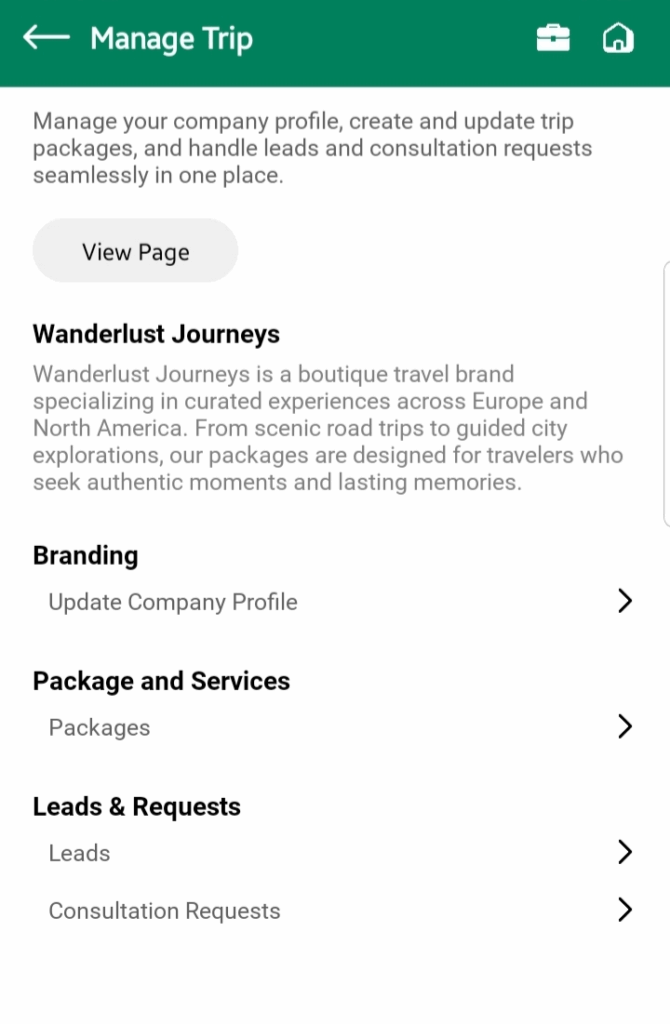
Important: Each user can create only one brand. If you already have a brand, the “Create Brand” button will disappear. This avoids duplicate or confusing setups.
Adding Packages
Your brand thrives through its packages. To create one:
Go to Packages → Create New
Fill in the trip details i.e Title, images, description, departure and arrival locations, duration, services, and number of people
Save and Publish your package
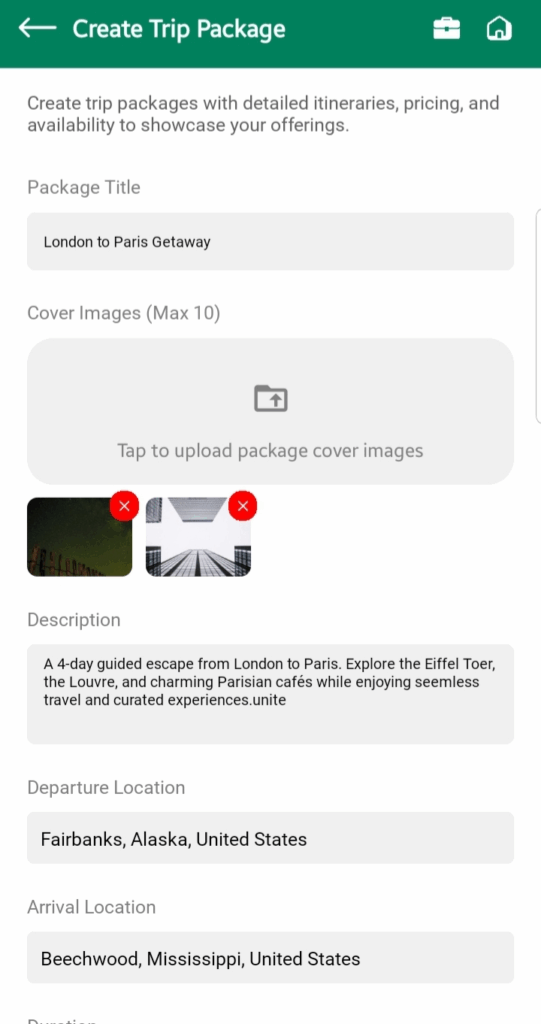
The package will then appear in the Trips and Browse sections for users in or near your departure city.
💡 Tip: Be as clear and complete as possible. A detailed package reduces unnecessary consultation requests.
Updating or Deleting Packages
Sometimes details change, or a package is no longer valid.
- Tap Pencil Icon to edit any detail from the package
- Tap Trash Icon to delete it permanently
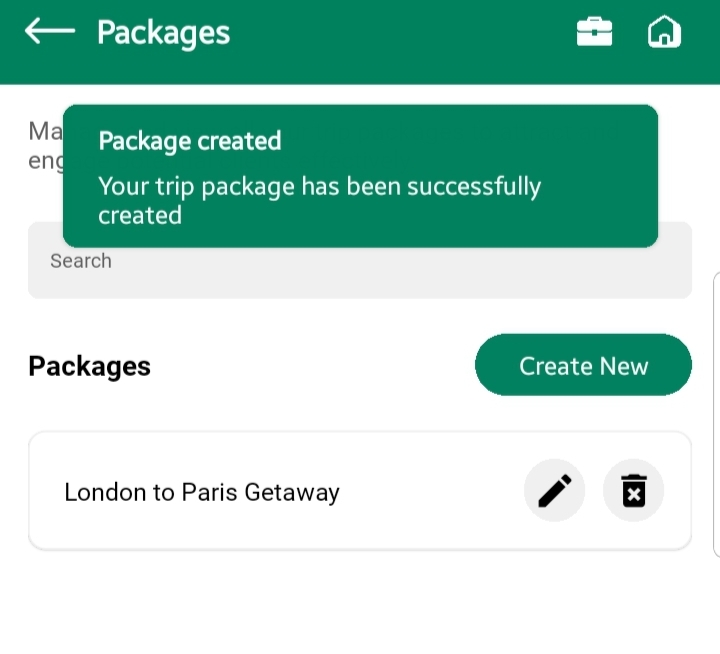
Deleting removes it immediately from public view.
Handling Requests
All communication with users comes through the Requests section in Manage.
There are two types of requests:
1. Consultation Requests
These are questions from users who are interested but not ready to book yet.
- Open Requests → Consultation
- Tap a request to read it
- Reply directly to the user
💡 Tip: Be responsive. Quick replies build trust and increase the chance of booking later.
2. Booking Requests
These are direct booking attempts from users.
- Open Requests → Leads
- Review the request (details, number of people, etc.)
- Confirm, reject, or discuss further with the user
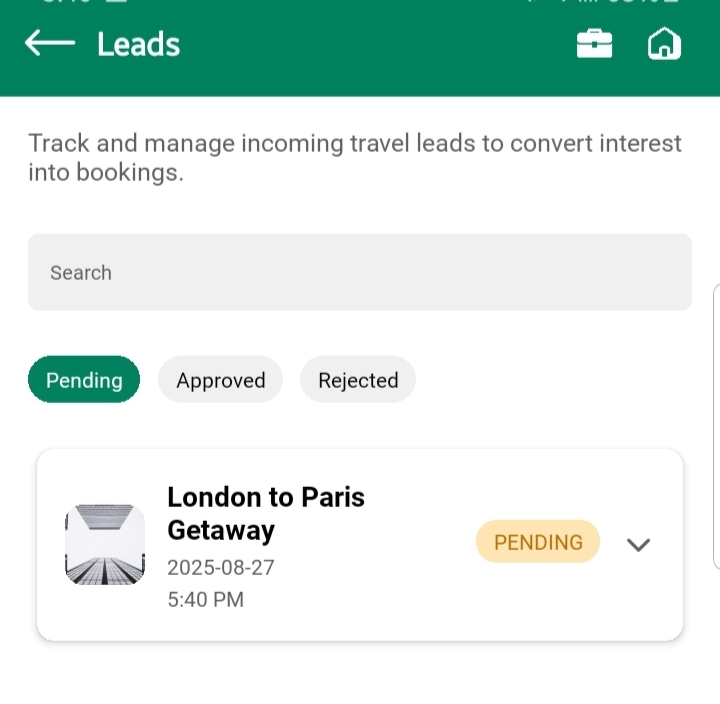
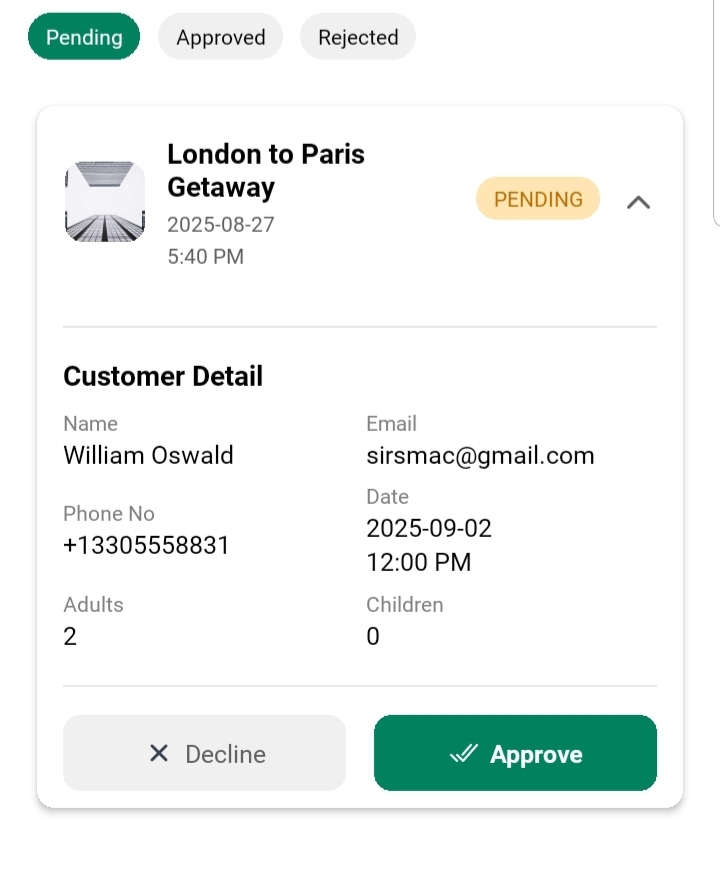
💡 Note: Responding quickly to booking requests is critical. A slow response may cause the user to lose interest.
The Manage section is your control hub as a brand owner. It’s where you:
- Create your brand identity
- Add and update packages
- Communicate with potential customers
By keeping your packages accurate and responding to requests quickly, you’ll provide a smooth and trustworthy experience for travelers.