
Bag Traxx is a smart tracking feature in Golf Guiders that helps users monitor and locate their belongings in real time. By securely connecting a tracking device to your account, Bag Traxx allows you to view live location, track movement history, and manage multiple tracked items — all from one place.
The feature integrates with Apple Find to ensure reliable, secure, and privacy-focused location tracking.
This feature is accessible from the sidebar menu of GolfGuiders app named “Bag Traxx“
What You Can Do
Track Multiple Items:
Users can link and manage multiple tracking devices under a single account. Each linked device appears separately in the app, making it easy to monitor different bags or belongings at the same time.
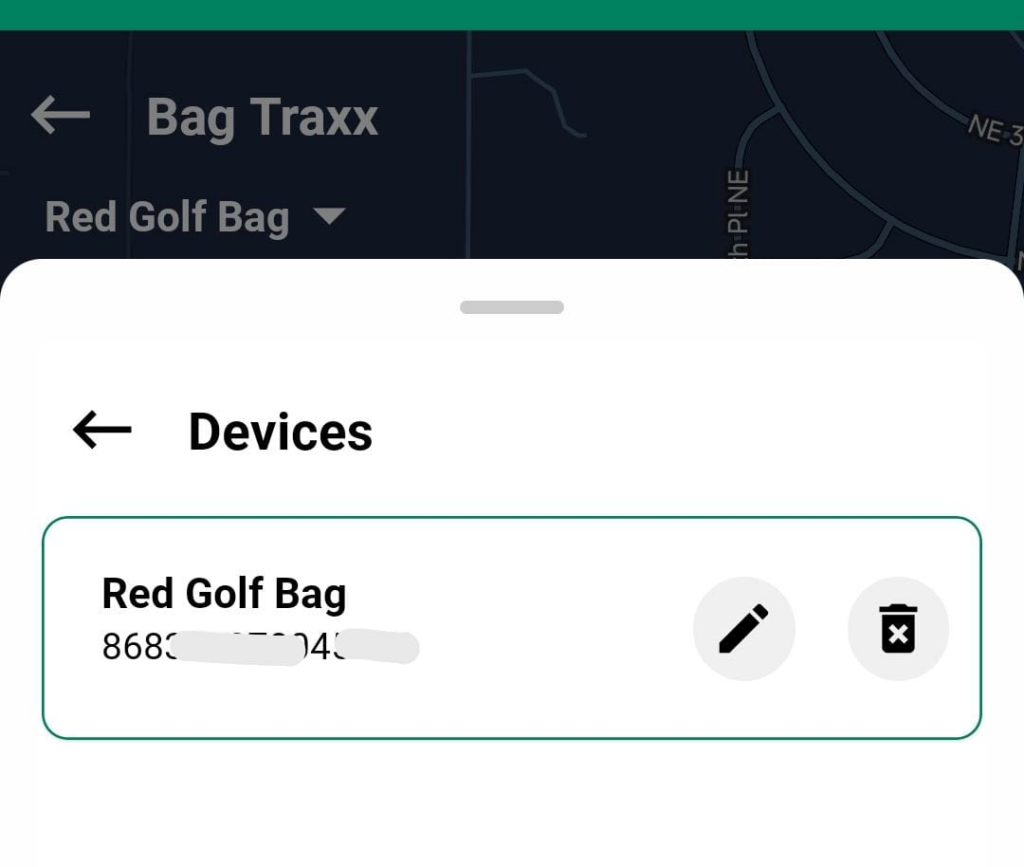
One Device, One Account:
For security reasons, each tracking device can only be linked to one user account at a time. This prevents unauthorized access and ensures full ownership control.
Linking a Device
Users can link a tracking device to their account using either of the following methods of Bag Traxx:
IMEI Number Entry
Manually enter the device’s IMEI number to link it to your account.
QR Code Scan
Scan the QR code printed on the device for quick and error-free linking.
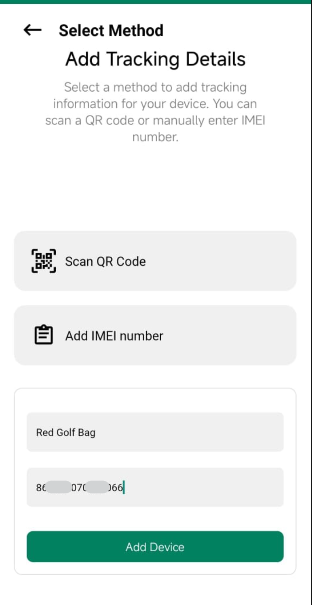
Once linked, the device connects with Apple Find to securely share location data.
Note: A device cannot be linked to another account unless it is first removed from the current one.
Live Location Tracking
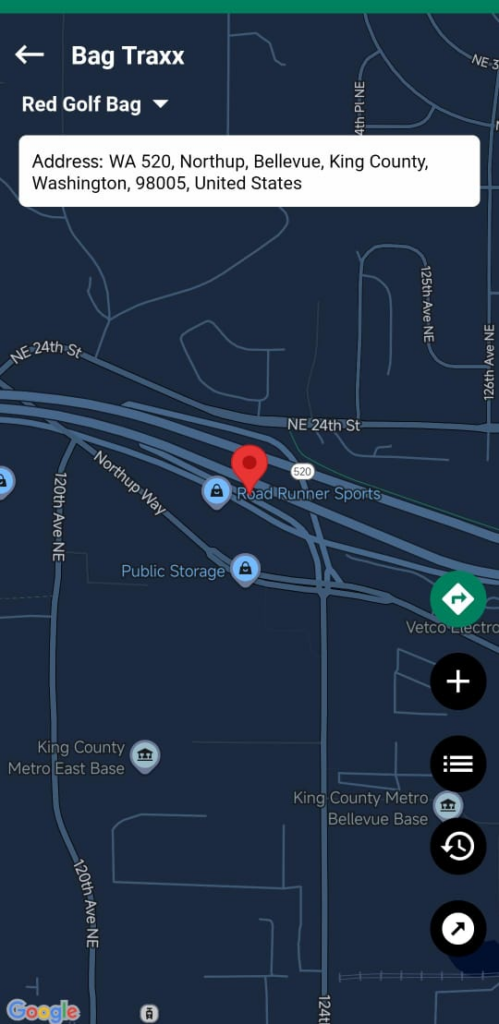
Bag Traxx displays the device’s current location on an in-app map, along with a readable address to help identify exactly where your item is.
Real-Time Map View
This is especially useful during:
- Travel
- Golf course visits
- Events and tournaments
- Misplaced or forgotten items
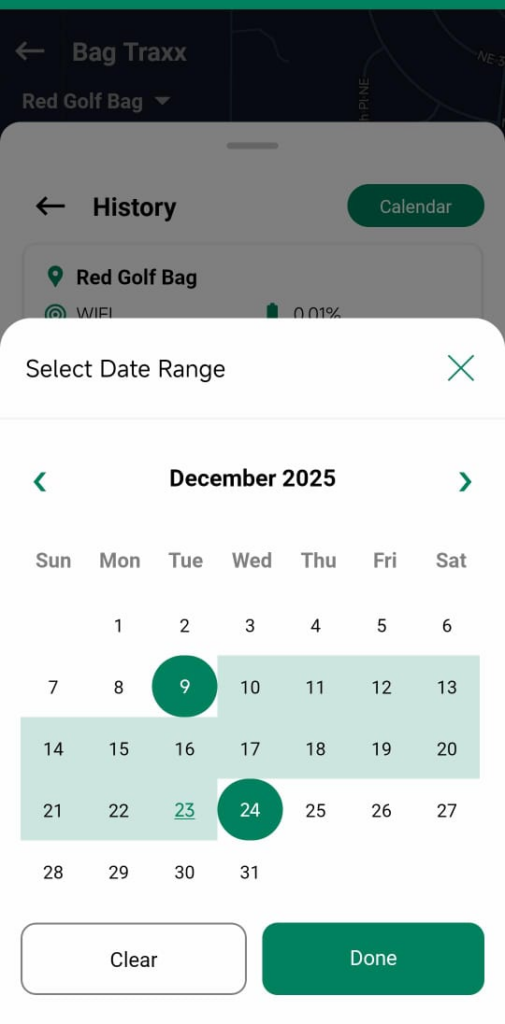
Location History
Users can view a location history of their device to see where it has been over time. This helps retrace steps and identify when and where an item may have been left behind.
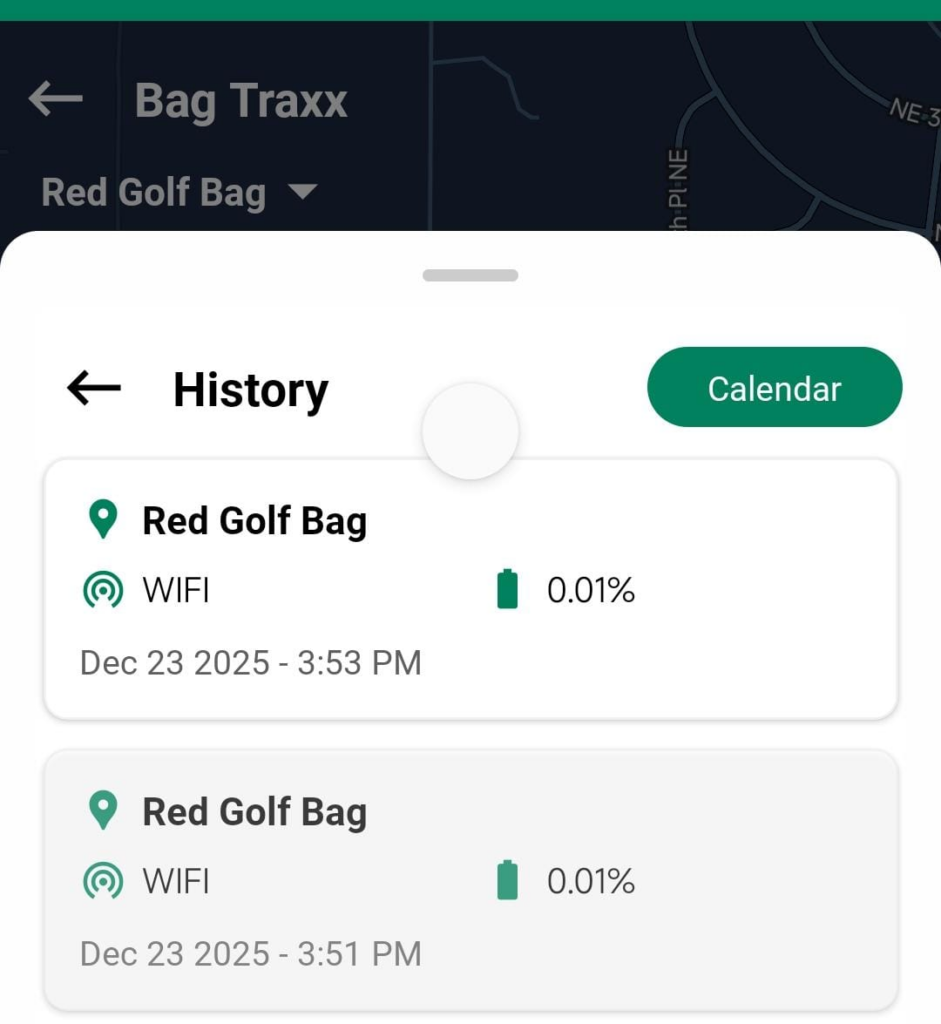
Location history is presented clearly and is tied only to the linked user account.
Filter History:
Tap on the Calender, and then tap two dates which will filter the tracker history between the selected dates.
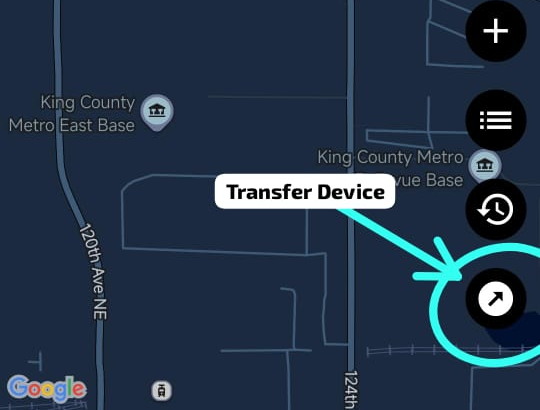
Transfer Device
Bag Traxx allows users to transfer a linked device to another user within Golf Guiders. This is useful when gifting a device or permanently handing it over to someone else.
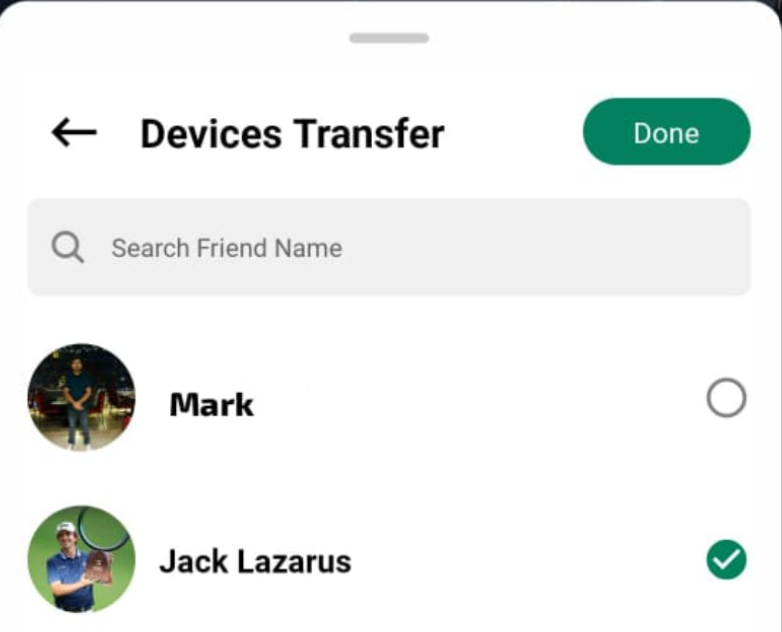
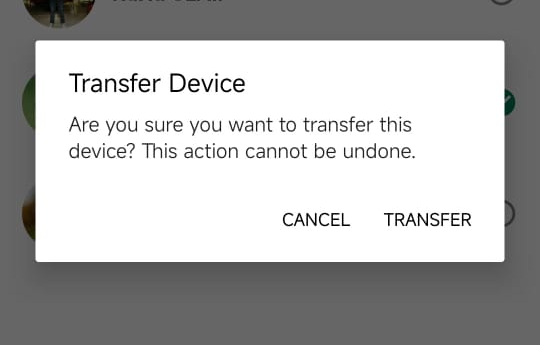
Once transferred:
- The device is removed from your account
- The device becomes fully linked to your friend’s account
- You will no longer have access to its location, history, or settings
Irreversible Action
Device transfer is irreversible from the sender’s side.
- The original owner cannot reclaim the device
- The device can only be transferred back if the new owner initiates the transfer
Note: This security measure prevents unauthorized takebacks and ensures clear ownership of each device.
Security & Privacy
- Bag Traxx uses Apple Find for secure and trusted location tracking
- Devices are strictly bound to a single user account
- Location data is private and visible only to the device owner
- No tracking information is shared with third parties
Note: User privacy and data security are core priorities of the Bag Traxx feature.
Best Practices
- Always unlink a device before giving it to another user
- Keep your app updated to ensure accurate tracking
- Link devices as soon as possible to avoid ownership conflicts
- Regularly check location history when traveling or attending events
Summary
Bag Traxx adds peace of mind to the Golf Guiders experience by giving users full visibility and control over their valuable belongings. With secure device linking, real-time tracking, and clear location history, users can focus on their game — not their gear.