
We’re excited to have you join the GolfGuiders community. As a Brand, Distributor, Vendor, Supplier, or Wholesaler, you get to showcase your products to golf enthusiasts worldwide and grow faster than ever.
This section will walk you through our streamlined onboarding process step-by-step so you can get started with confidence.
Start Here
Onboarding Link: https://onboarding.golfguiders.com/onboarding
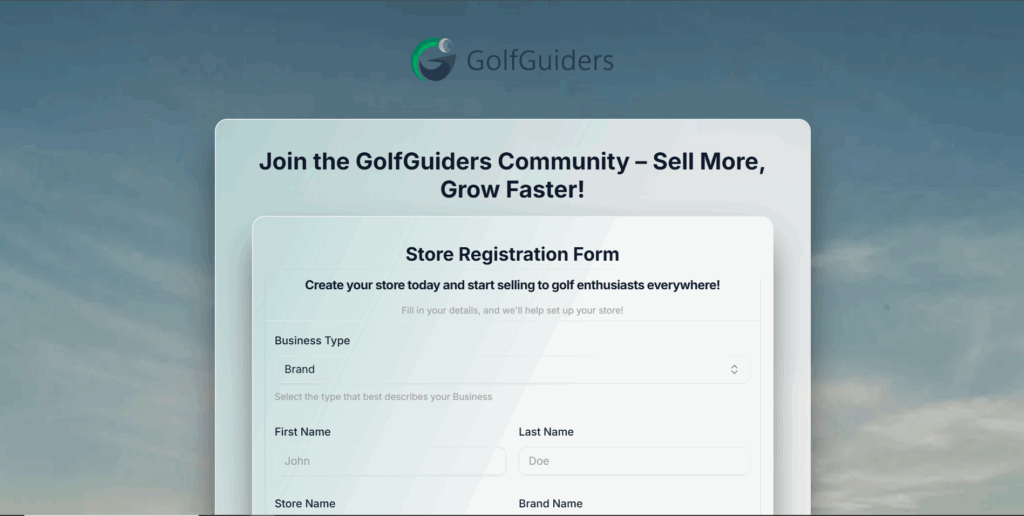
Click the link above to begin. We recommend completing the form on a desktop or laptop for the smoothest experience.
Choose Your Business Type
When you first enter the portal, you’ll be prompted to select your business type:
- Brand: You manufacture and sell products under your own brand name.
- Distributor: You distribute products from one or multiple brands to retailers or resellers.
- Vendor: You sell products directly to Golf Guiders customers.
- Supplier: You supply raw materials or products to other businesses.
- Wholesaler: You sell large quantities of products to retailers or other businesses.
Why this matters:
Choosing the correct business type helps us customize your store setup and ensure proper category listings, inventory handling, and pricing structures.
Personal & Store Details
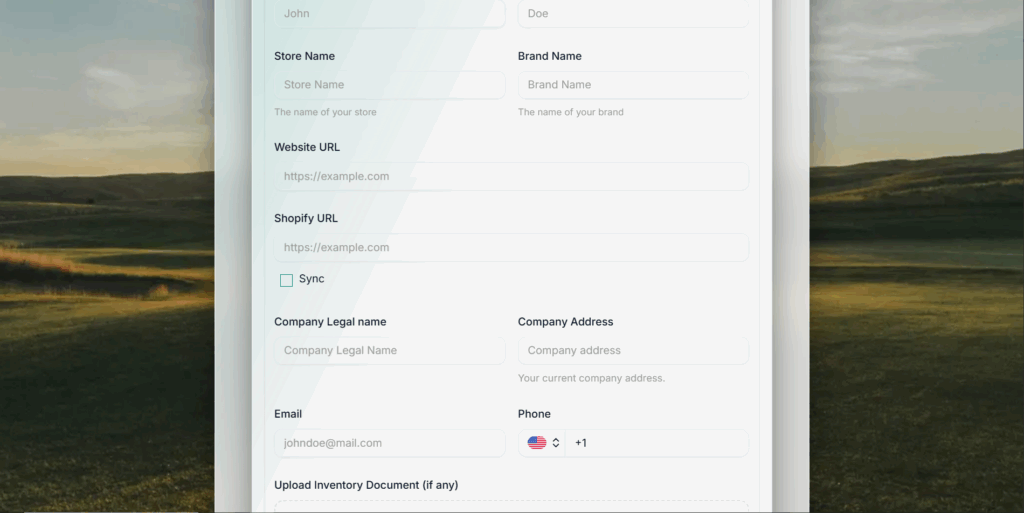
Fill out the following fields carefully:
- First Name & Last Name
Example: John Doe - Store Name
This is the public name customers will see. Example: “GolfPro Gear Shop” - Brand Name
The name of the brand you represent or own. Example: “ProSwing” - Website URL
Your main business website. Example: https://example.com - Shopify URL (if applicable)
If you operate a Shopify store, include the URL so we can sync your products.
Syncing Your Store (Optional)
If you provide a Shopify URL, you can opt to sync your inventory and product listings directly. This simplifies your setup and ensures your products stay updated.
Complete Your Business Information
You’ll need to provide:
- Company Legal Name
- Company Address (full current address)
- Email Address (for official communication and notifications)
- Phone Number
Tip: Fill in as much detail as possible upfront. The more precise your info, the faster you can start selling.
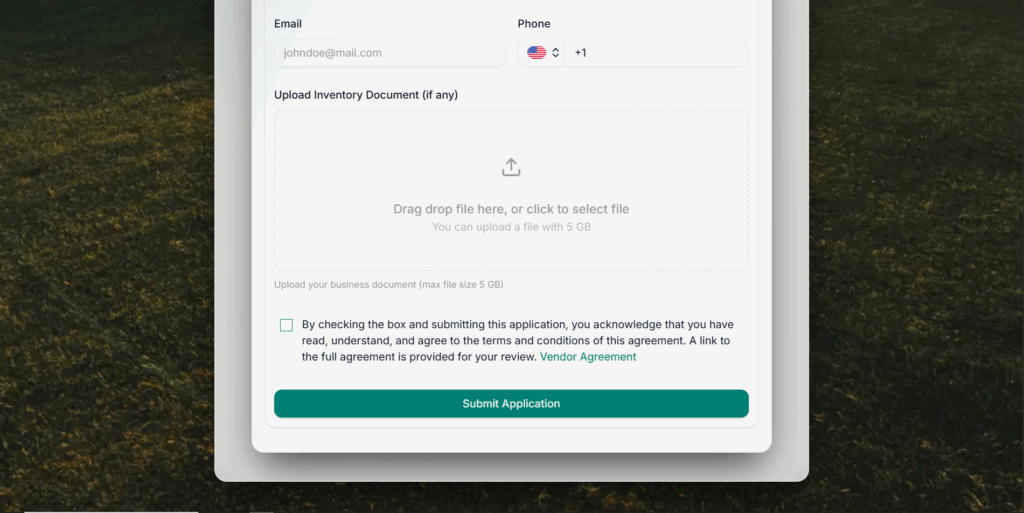
Upload Documents
You’ll have the option to upload:
- Once your business profile is verified, you can start uploading products:
- High-quality images (front, side, detail shots)
- Product descriptions (features, specs, sizing)
- Pricing and inventory levels
- SKU or item codes
- Category and tagging details
Use clear, professional photos and concise descriptions to boost customer trust and conversion rates.
Agreement & Submission
Before submitting:
- Carefully review the Vendor Agreement before submitting the form.
- Check the box to confirm that you have read, understood, and agreed to the terms and conditions.
When you’re ready, click Submit Application.
Verification & Approval
After you submit your business and product details:
- Our team will review your application within 24 hrs to ensure compliance with Golf Guiders’ quality standards.
- We might reach out if we need clarifications or additional documentation.
- Once approved, your store goes live, and products become visible to customers.
Support & Questions
If you hit any bumps along the way (or just have a random “What the heck is this?” moment), don’t sweat it — our onboarding support team is ready to help.
📧 Email: support@golfguiders.com
Ready!
After completing these steps, you’re officially part of the Golf Guiders ecosystem. You can now:
- Manage your store through the Vendor Dashboard
- Track orders and payouts
- Update products anytime
- Connect with a wider golfing community
You can also access your store on any browser or web. Learn More