
The Joining a Golf Buddy Post feature lets you participate in golf sessions organized by other players. This fosters real-world connections and makes it easy to join upcoming games at various courses.
Where to Find Golf Buddy Posts
- Feeds/Circle:
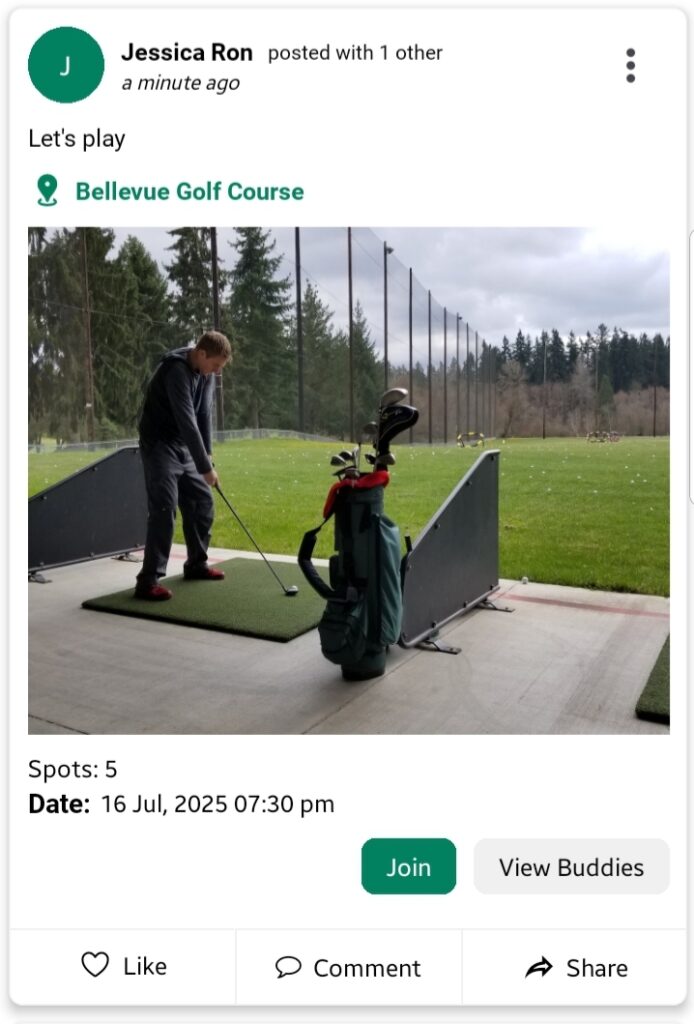
Golf Buddy posts appear alongside regular posts in your social feed, easily recognizable by the Join button at the bottom.
- Golf Buddy Section:
Access via Sidebar Menu > Golf Buddy to view posts under:- Today: Posts scheduled for the current day.
- Upcoming: Posts planned for future dates.
you can only view your created and joined buddy posts in Golf Buddy sceen, you can’t view others buddy post unless you join them
How to Join a Post
- Browse posts in the Feeds or Golf Buddy section.
- Tap the Join button located at the bottom of the desired post.
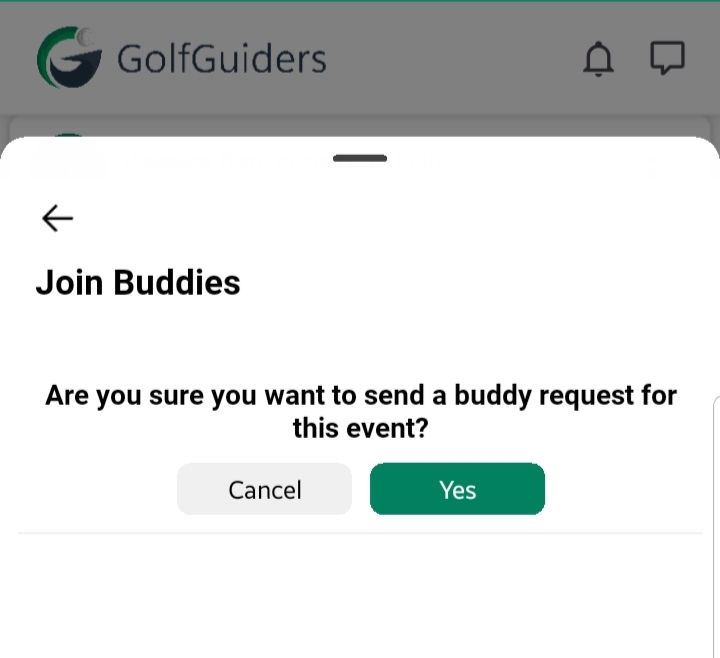
- A bottom sheet will open confirming to join with “Yes” and “Cancel” buttons
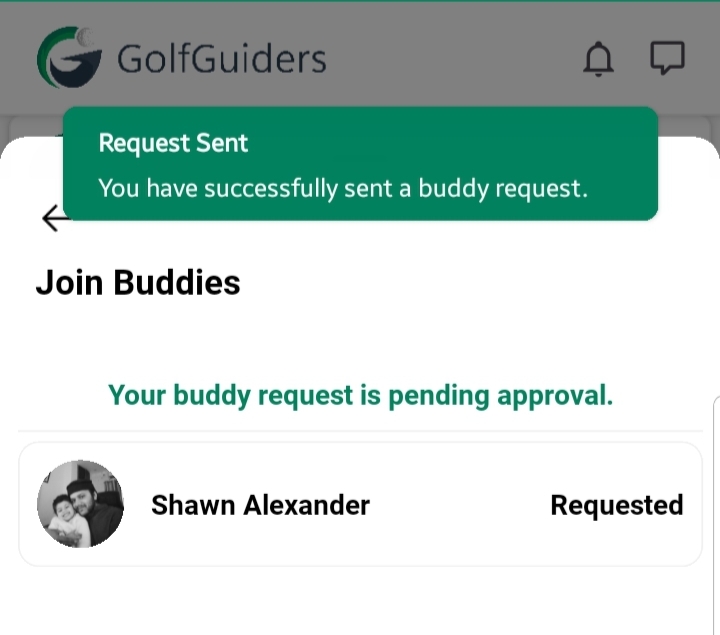
- if you tap “Yes” a join request is sent to the post creator.
- if you tap “No“, the bottom sheet will be close and request will not sent.
You can only join posts, which are not due yet
What Happens Next:
- The post creator is notified of your join request.
- Once they Accept or Decline, you’ll receive a notification informing you of their decision.
you can also tap “View Buddies” button to view list of joined users
Note
- If spots are limited, it’s recommended to join early before the post reaches capacity.
- The post creator has full control to Accept or Decline your request.
By joining a Golf Buddy post, you get an opportunity to connect, socialize, and play with fellow golfers in real life.