
Guide to access your GolfGuiders account on web
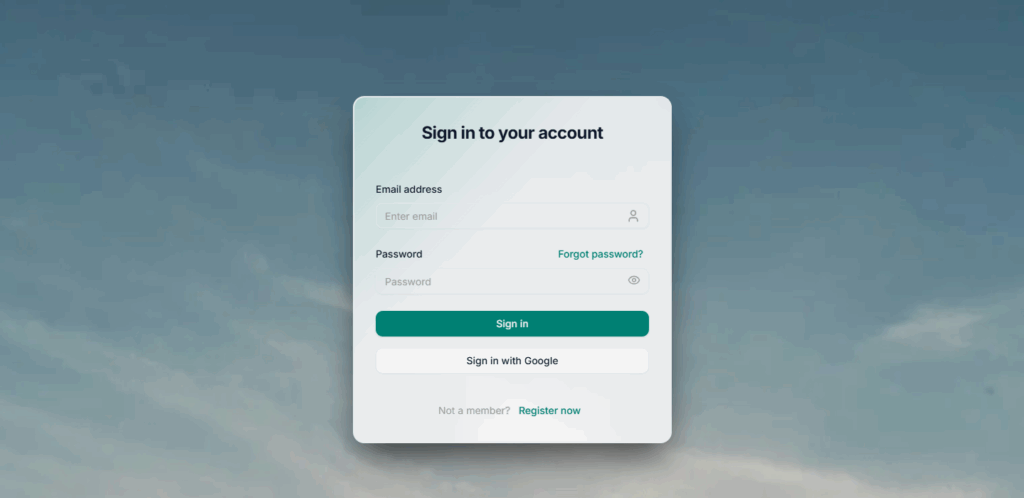
- Go to auth.golfguiders.com
Log in using your registered email and password. If you’ve already used the mobile app, your credentials will work here too.
- Explore Your Dashboard
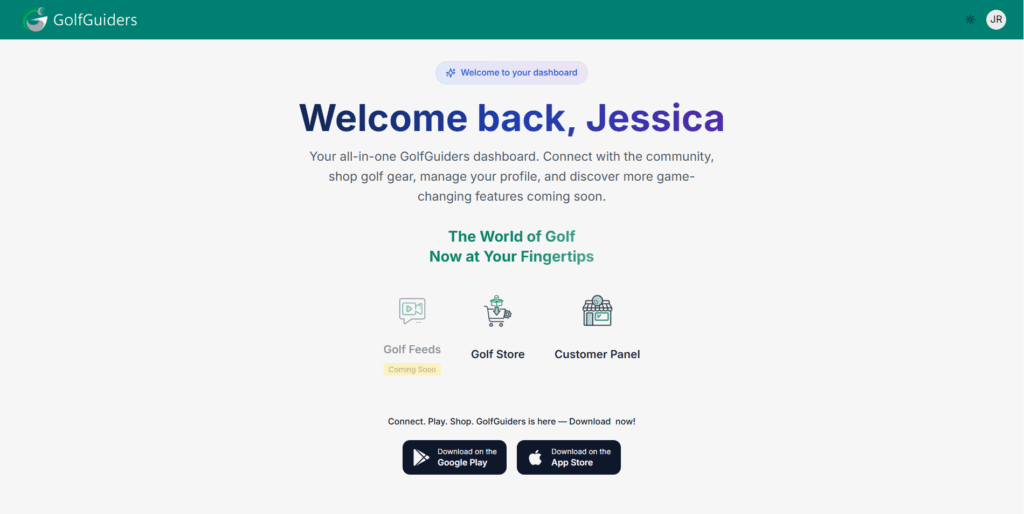
Once logged in, you’ll be redirected to the GolfGuiders web dashboard. From here, you can access the available apps linked to your account:- Golf Store: A public-facing marketplace at store.golfguiders.com
- Seller Central: A private seller dashboard for managing inventory, orders, and product listings (only visible if you’re registered as a store owner, Learn more)
- Customer Panel: A general dashboard shown to users who are not store owners but still want to browse and engage with the store.
What You Can Do on GolfGuiders Web
- View and manage your account details
- Access your store or seller dashboard directly from the web
- Browse and shop golf-related products from the public Golf Store
- Manage your own storefront, update product listings, and fulfill orders (for store owners)
- Seamlessly switch between mobile and web with unified account access
Once you’re set up on the web, store owners can continue with the Seller Central Guide to start managing their storefront. For general users, you can begin exploring the Golf Store and future upcoming features directly from your browser.