
The Notification Center in GolfGuiders provides a centralized location where all your in-app alerts and updates are organized. It ensures that you never miss important information, whether it’s social interactions, tournament updates, or game progress.
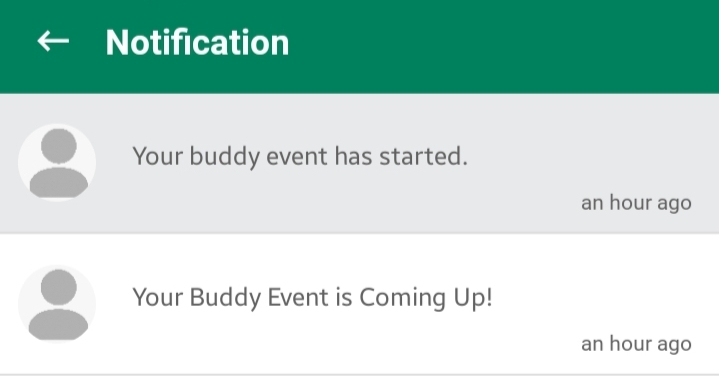
Read: Background white
Unread: Background Grey
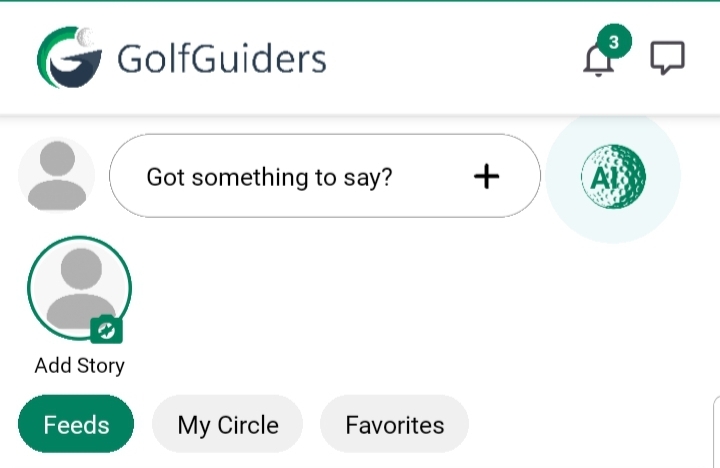
Access Notification Center
- Open the GolfGuiders app.
- Locate the Bell icon on the top-right corner of the app interface.
- Tap the icon to open the Notification Center.
Notification Center Layout
- Chronological Feed: Notifications are listed in order of most recent first.
- Interactive Cards: Tapping a notification card redirects you to the relevant section or action within the app.
Features
- Mark as Read/Unread: Keep track of which notifications you’ve viewed.
- Direct Navigation: Instantly jump to the related activity with a single tap.
- Automatic Clearing: Some notifications may auto-clear once the related action is completed.
By regularly checking the Notification Center, you ensure continuous awareness and engagement with all your golf activities and community interactions.