
This section enables you to securely update your GolfGuiders account password to maintain account protection.
Access Steps
To change your password:
- Navigate to Settings > Account Settings > Change Password.
Updating Password
You are required to fill three fields:
- Old Password: Enter your current account password to verify your identity.
- New Password: Input your desired new password.
- Confirm Password: Re-enter the new password to confirm accuracy.
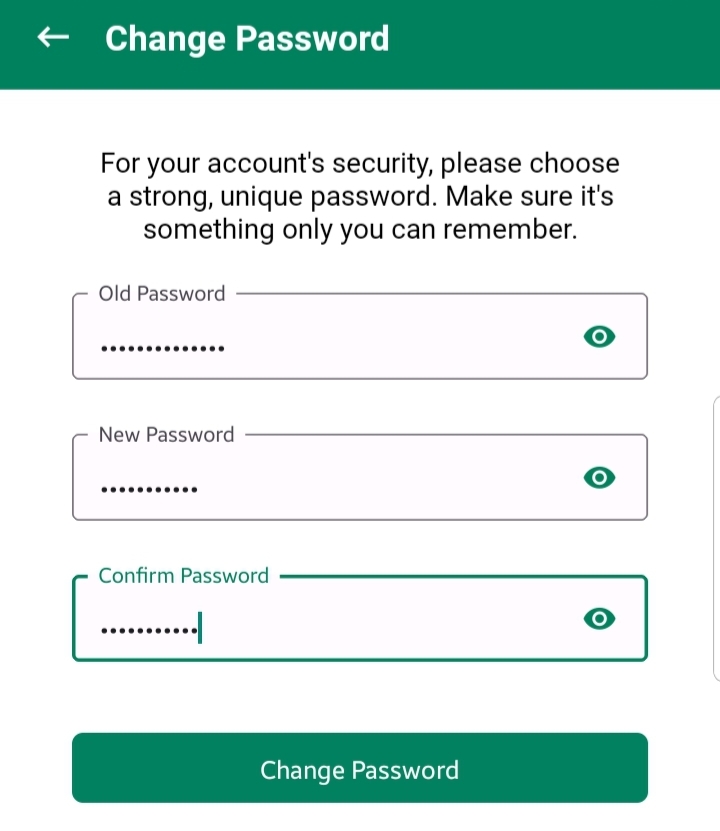
Once all fields are completed, tap Save to update your password.
Process
No OTP or external verification is required.
If the old password matches your current one, your password will be updated.
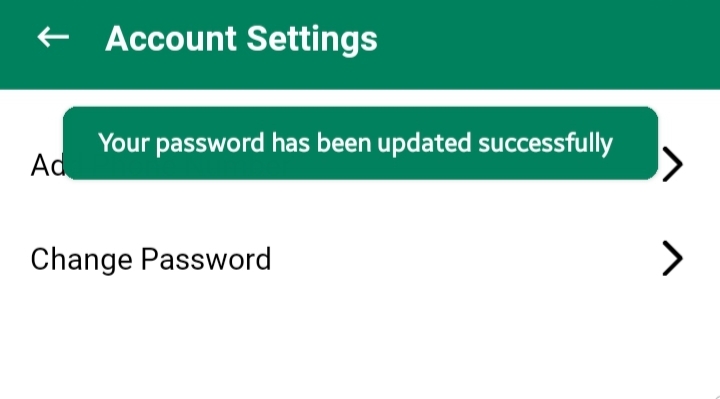
If the old password is incorrect or the new passwords do not match, you will be prompted with an appropriate error message.
Notes
- Use a strong, unique password for better security.
- Once updated, the new password will be required for all future logins.