
The Sessions section within the Coaches module equips coaches with a centralized hub to manage all their training engagements. This feature streamlines session requests, approvals, upcoming schedules, and post-session follow-ups.
Access
- Navigate to Coaches from the Side menu.
- Tap the Sessions tab to manage your sessions.
The Sessions screen is organized into five distinct tabs for efficient tracking:
Requests
View all incoming training requests from golfers.
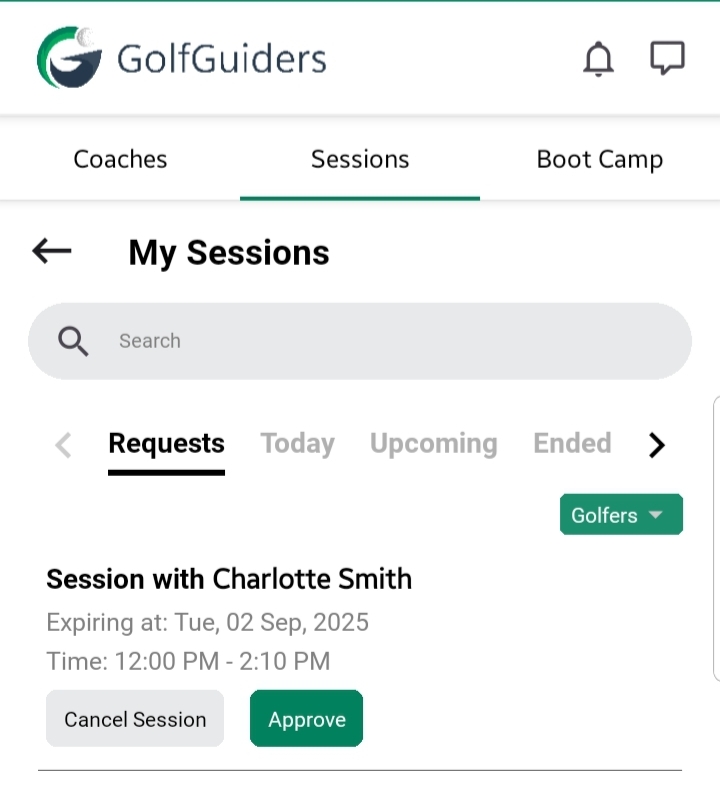
- Each request card displays:
- Golfer’s Name
- Selected Golf Course
- Expiring Date and Time
- Actions:
- Approve: Accept the session request, confirming your availability (for coach).
- Cancel: Decline the request if unavailable on the requested date (for golfer & coach).
Note: Multiple requests may appear if a golfer has booked multiple dates; each must be approved or declined individually.
Today
- Displays sessions scheduled for the current date.
- Provides a quick overview of today’s training commitments.
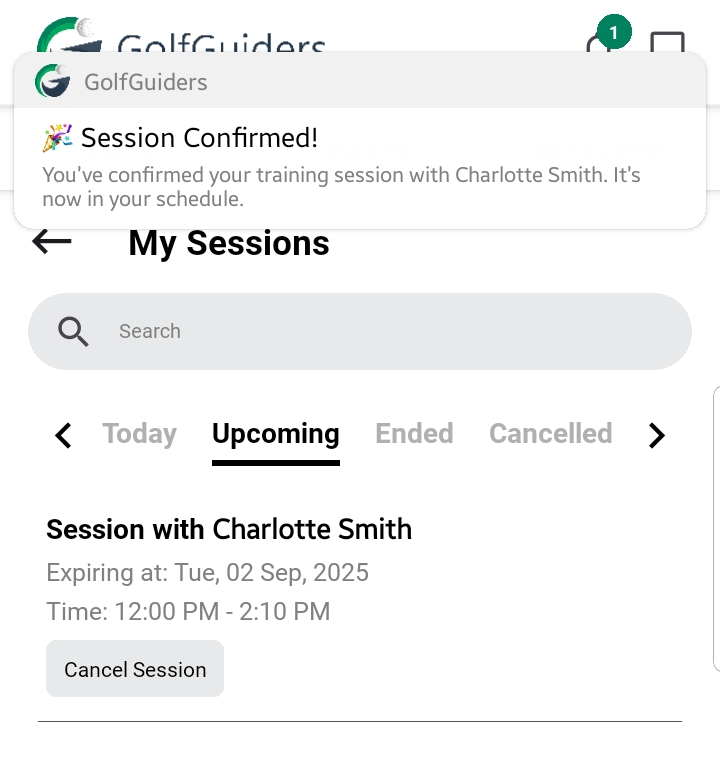
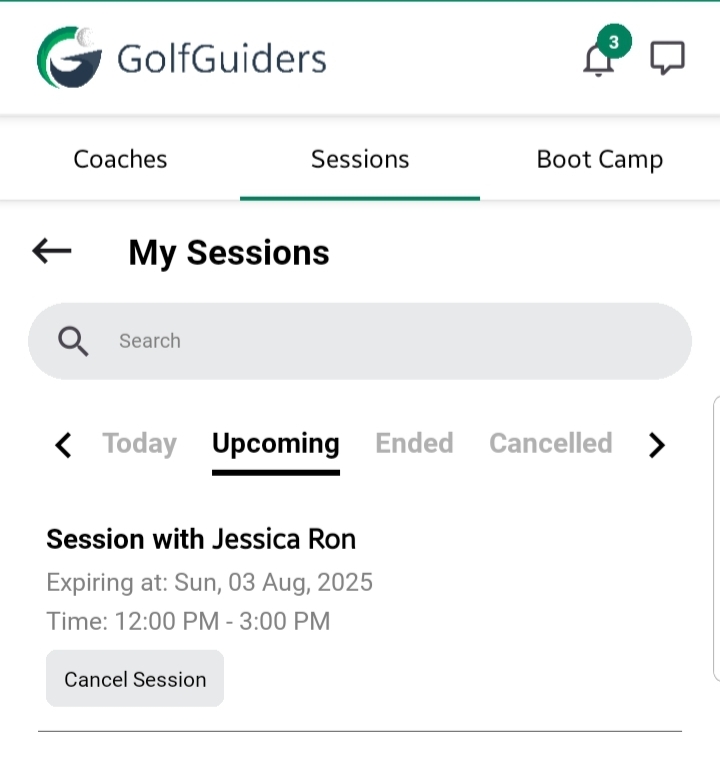
Upcoming
Lists all approved and confirmed sessions scheduled for future dates.
Ended
- Contains sessions that have been completed.
- Sessions automatically move here once their scheduled date has passed.
Cancelled
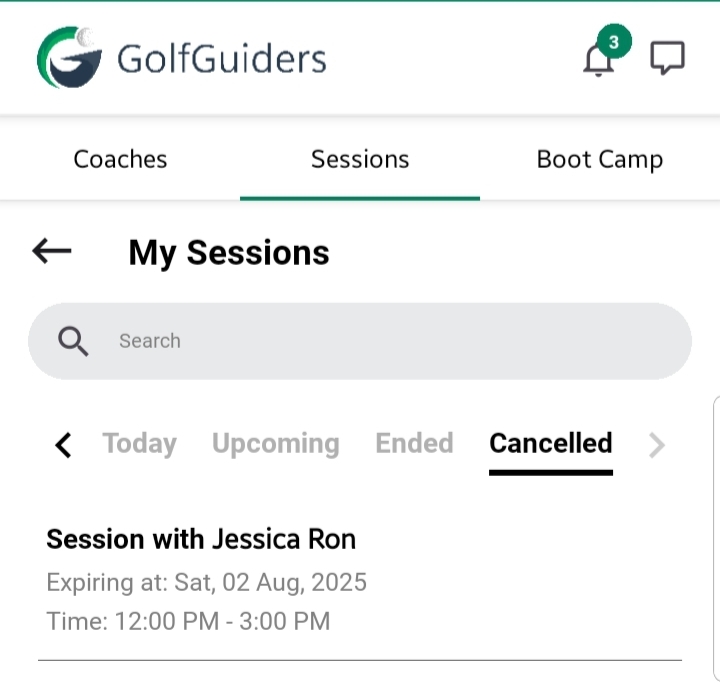
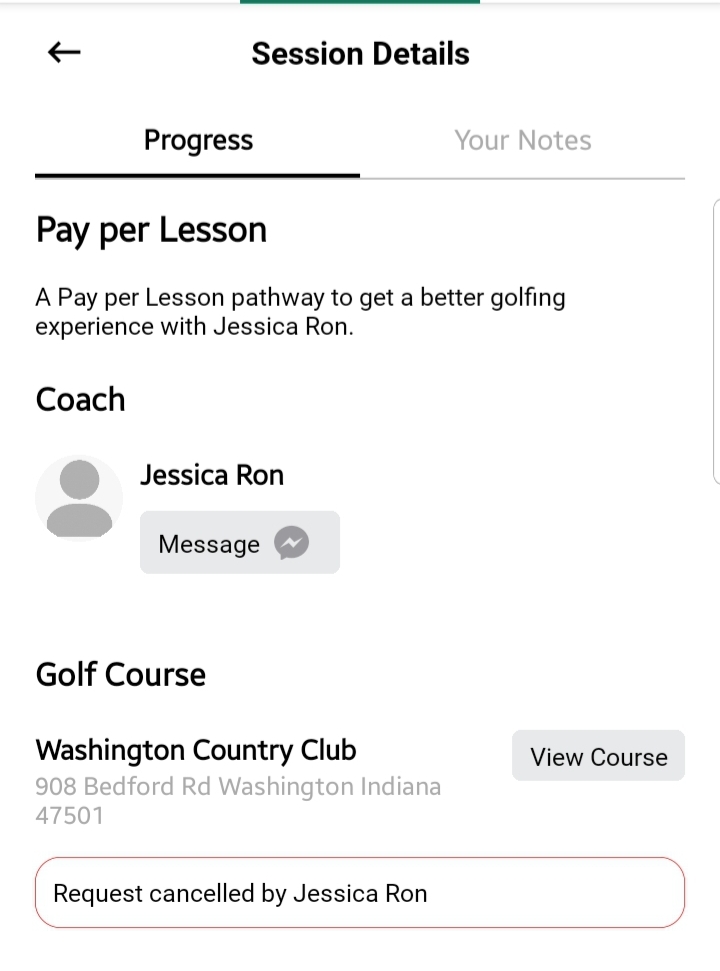
- Displays all sessions that were either declined by the coach or cancelled by the golfer.
- When viewing a cancelled session, tap on the card to open Session Details screen with a bottom line indicating cancellation was done by you (the coach) or the golfer.
Additional Notes
- Coaches receive real-time notifications for new requests.
- Progress updates and notes help maintain a comprehensive training history.
- Keeping session records organized in these tabs ensures efficient management and improved training outcomes.
- Always check the Upcoming and Today tabs to stay updated on your schedule.