
The Checkout & Payment process in GolfGuiders is designed to be secure, smooth, and flexible so you can complete your purchases with confidence. This section will guide you through each step, ensuring you know what to expect and how to proceed effectively.
Step 1: Select Shipping Address
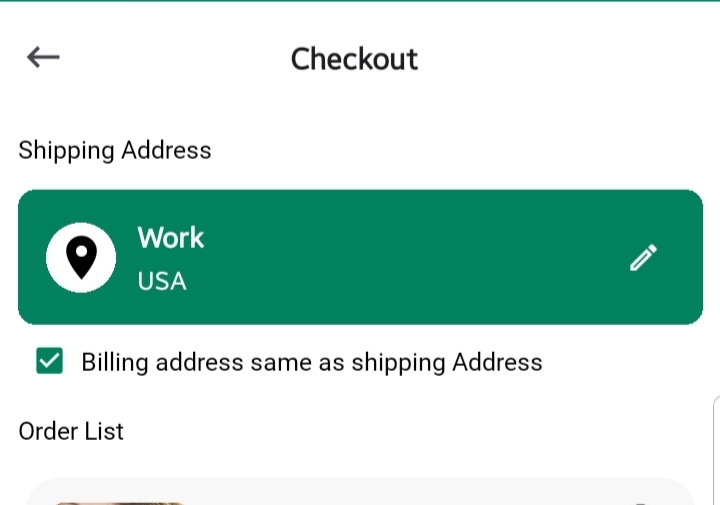
Before your order is dispatched, we need to know where to send it:
- Your default shipping address will appear automatically.
- To change or update it, tap the Pencil icon to add or edit the address.
- You’ll be redirected to Addresses Screen
✅ Tip: Always ensure your shipping address is accurate and up to date to avoid delivery delays.
Step 2: Confirm Billing Address
You’ll find a checkbox labeled “Billing address same as shipping address.”
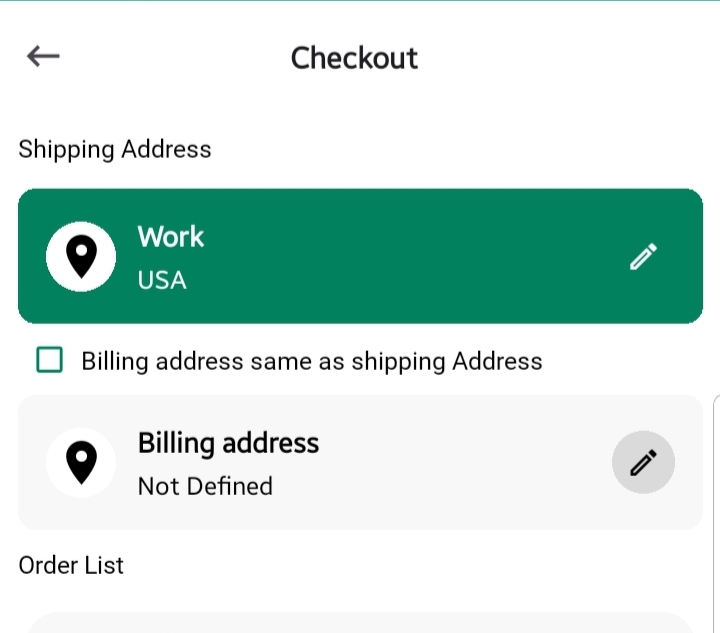
- If your billing and shipping addresses are the same, just leave it checked.
- If not, uncheck it to add a separate billing address. Learn More.
💡 What is Billing Address?
The billing address is the one linked to your payment method. It helps verify your identity with the bank or card issuer and prevents fraud.
Step 3: Review Products & Shipping Options
All the products you are purchasing will be listed here, each with:
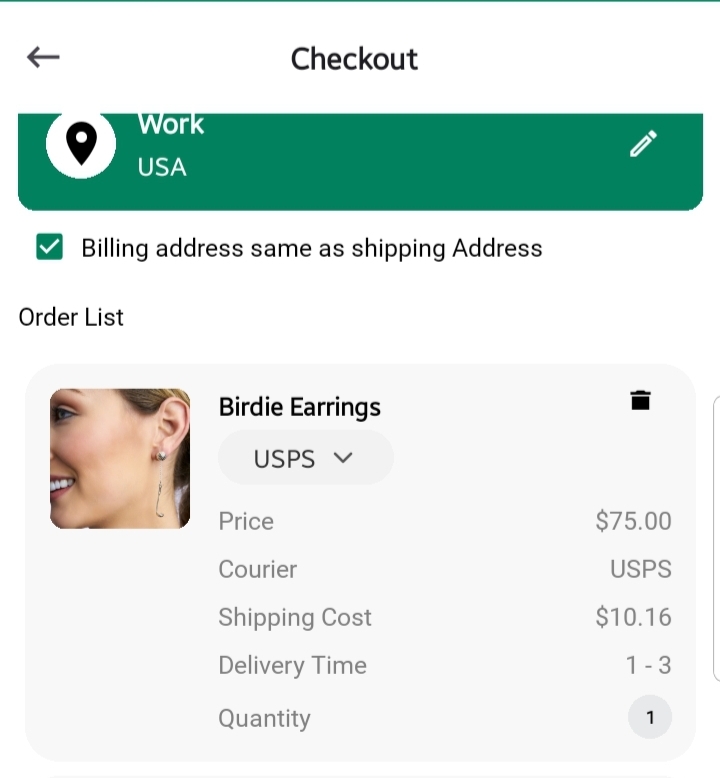
- Product Name & Image
- Selected Variants (size, color, etc.)
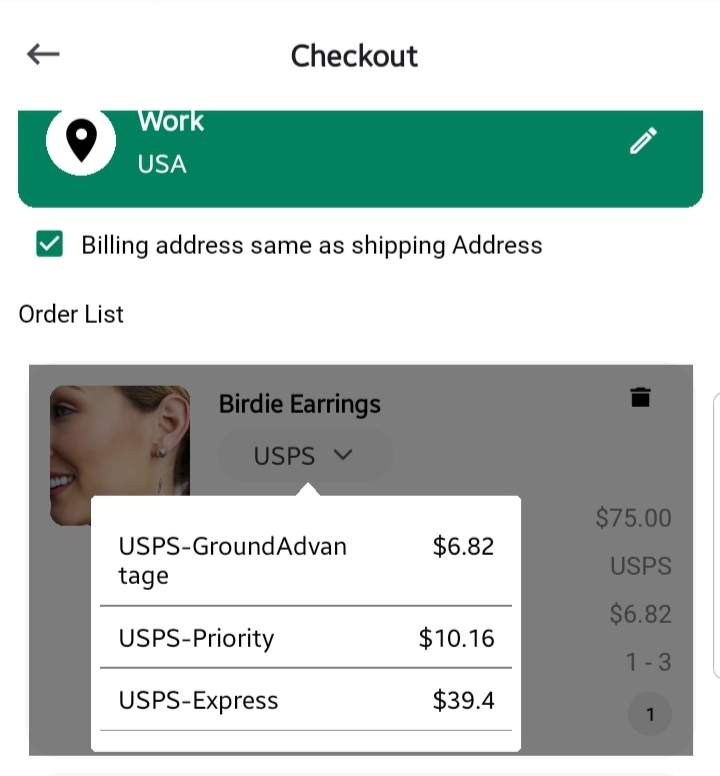
- Courier Service: USPS or FedEx, determined by the store.
- Shipping Method Options: Choose your preferred delivery speed such as Ground, Priority, or Express.
- Price, Shipping Cost, and Estimated Delivery Time
- Quantity
- Trash Icon from the top-right corner of each card to Remove any item from the list.
✅ Tip: Choosing faster shipping may incur higher costs but guarantees quicker delivery.
Step 4: Payment Method
Once your shipping and billing details are finalized:
- Tap Confirm to proceed to payment.
A secure payment window (bottom sheet) will appear where you can:
- Enter Card Number
- Enter Expiry Date
- Enter CVV (Security Code)
- Enter Cardholder Name
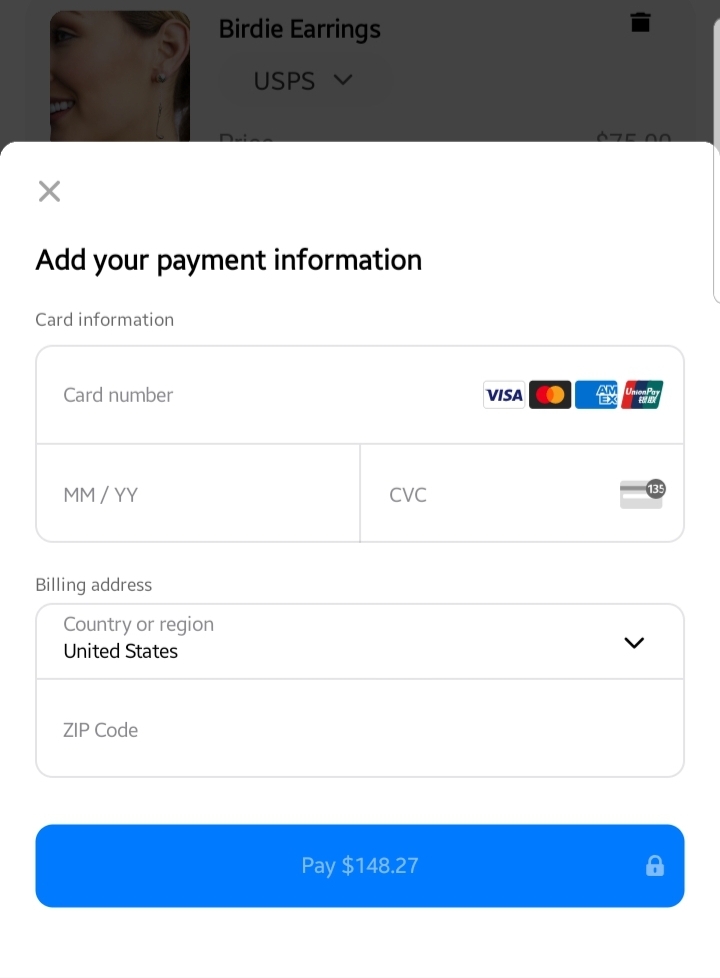
We use encrypted and secure gateways to ensure your card details remain private and protected.
🔒 Security Note:
We do not store your card information on GolfGuiders servers. All payments are processed securely through certified providers.
Final Step: Place Order
After entering payment details, confirm your purchase. You will:
- See a success message once payment is completed.
- Receive an email confirmation summarizing your order.
- Be redirected to an My Orders screen for tracking.
✅ Pro Tip: Always double-check product details, quantities, and shipping information before finalizing your order.