
The Refunds page is designed to help sellers manage refund requests efficiently. It features a dashboard-style summary with categorized views, time-based filters, and tools for tracking and updating refund statuses in one place.
Top Summary Cards
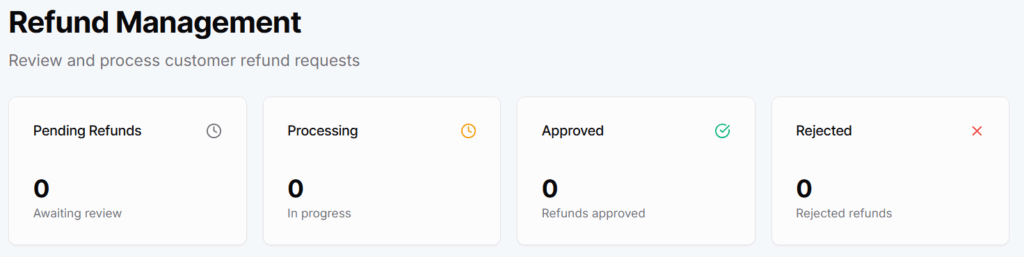
- Pending – Total number of new refund requests awaiting review.
- Processing – Refunds currently under review or being processed.
- Approved – Refunds that have been accepted and are scheduled for payout.
- Rejected – Requests that were denied based on policy or review.
📌 These cards provide a quick status breakdown to keep sellers informed at a glance.
Filter Section

- Month Dropdown
- Filters refund requests by selected month, depends on Year.
- Year Dropdown
- Filters refund requests by selected year, depends on Month.
📅 Useful for viewing monthly or yearly refund trends or logs.
Tab Navigation
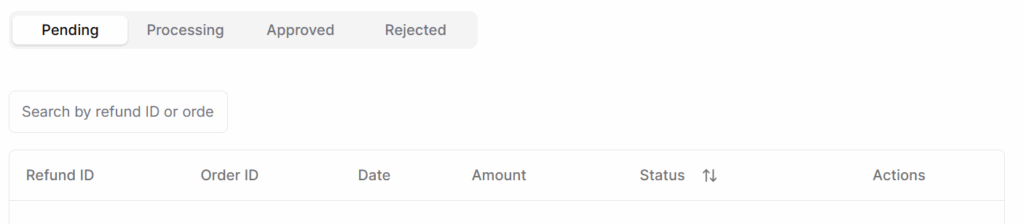
- Tabs available:
- Pending
- Processing
- Approved
- Rejected
🧭 Switching tabs filters the list according to the selected refund status category.
Search Bar
- Positioned above the list of requests.
- Allows search by:
- Refund ID
- Order ID
🔍 Instant filtering to help locate specific refund cases quickly.
Refunds Requests
Each item in the list includes the following fields:
- Refund ID → Unique ID for each refund request.
- Order ID → The order related to the refund request.
- Date → Date when the refund was requested.
- Amount → Requested refund amount.
- Status → Current status of the request: Pending, Processing, Approved, or Rejected.
- Actions → Pencil icon opens an edit interface to update the refund status.
Status Update
Clicking the pencil icon allows sellers/admins to:
- Change the status of the refund (e.g., from Pending → Processing).
- Optionally enter internal comments or notes (if feature is enabled).
- Save changes instantly with real-time UI feedback.
🛠️ Keeps refund workflows simple, fast, and controlled directly from the list view.
Best Practices
- Always review and respond to refund requests within 24–48 hours.
- Check order details, delivery status, and customer reason before approving/refusing.
- Keep refund statuses (Pending, Processing, Approved, Rejected) up-to-date to avoid confusion.
- Rejected refunds can lead to disputes or negative reviews — reject only with valid reason.
- Keep personal notes or records for each refund in case of future queries or audits.