
This section allows you to securely add or update your phone number linked to your GolfGuiders account for verification and recovery purposes.
Access Steps
To access this feature:
- Navigate to Settings > Account Settings > Add Phone Number.
Add or Update Number
The phone number field displays your previously saved number, if available. Otherwise, it remains empty for input.
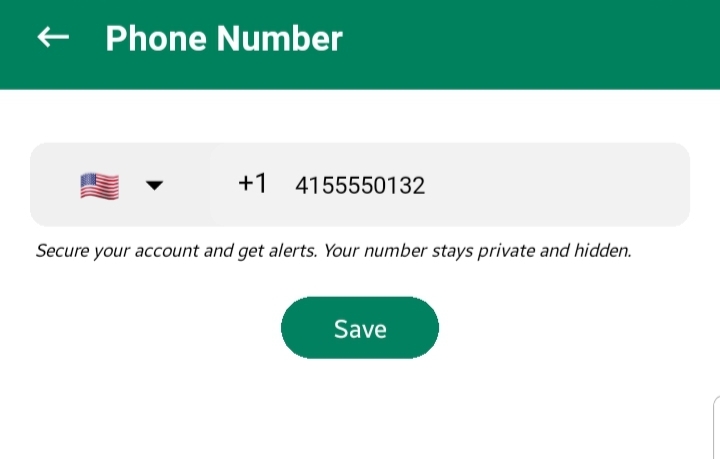
- Select your country code using the dropdown flag menu. A search function is provided to easily locate your country.
- Enter your complete mobile number.
Upon saving:
A confirmation prompt appears, informing that an OTP (One-Time Password) will be sent for verification.
The prompt also clarifies that your number is not shared publicly.
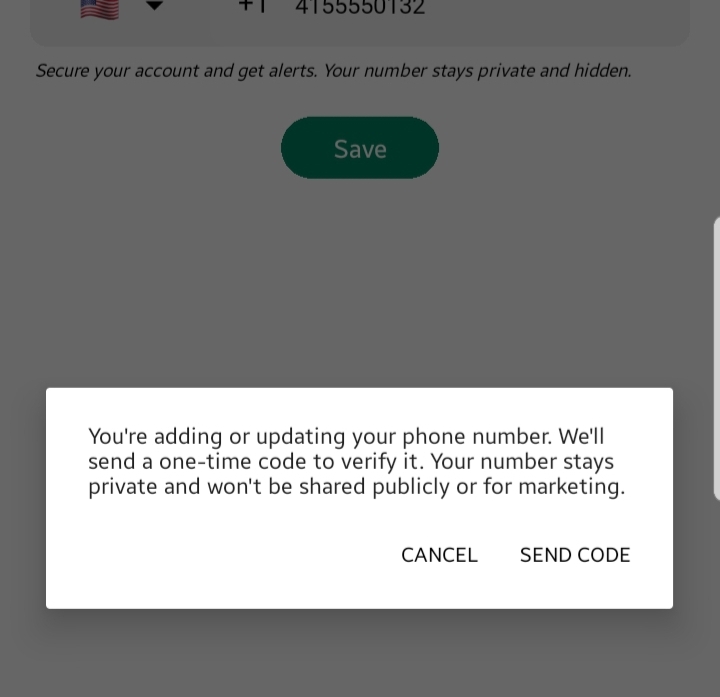
You are presented with:
- Cancel: Discards the action; no OTP is sent and the number remains unchanged.
- Send Code: Sends an OTP to the entered number and redirects you to the verification screen.
OTP Verification
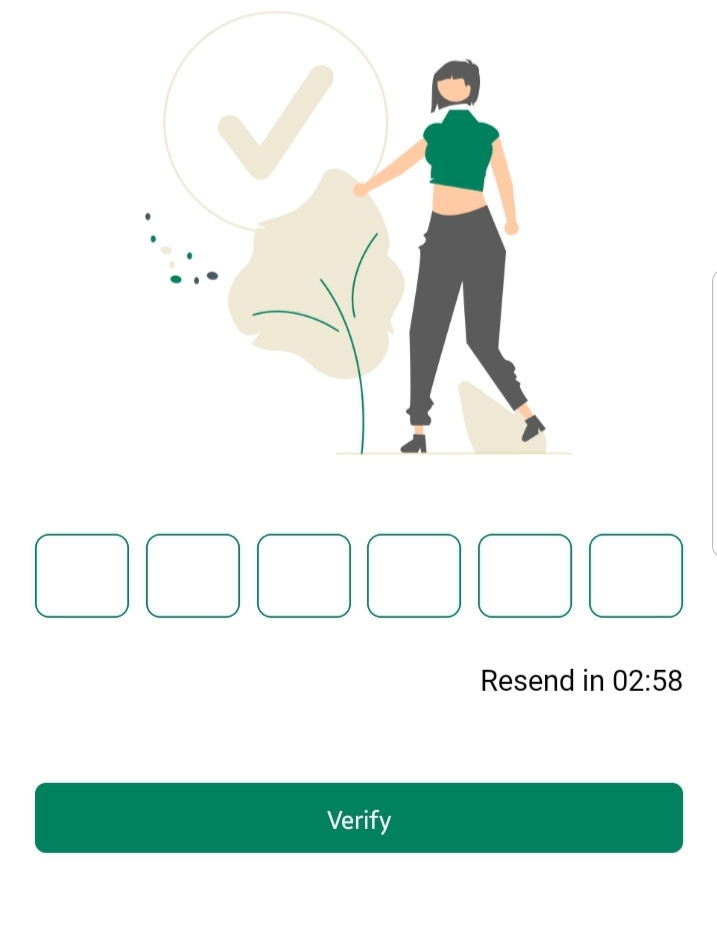
Enter the received OTP on the Verification Screen.
Tap Verify to confirm the number.
If the OTP is correct, the number is successfully linked to your account.
If incorrect, you will be prompted to re-enter the code.
Notes
- OTP verification is mandatory to finalize the number update.
- Your phone number is stored securely and remains private.