
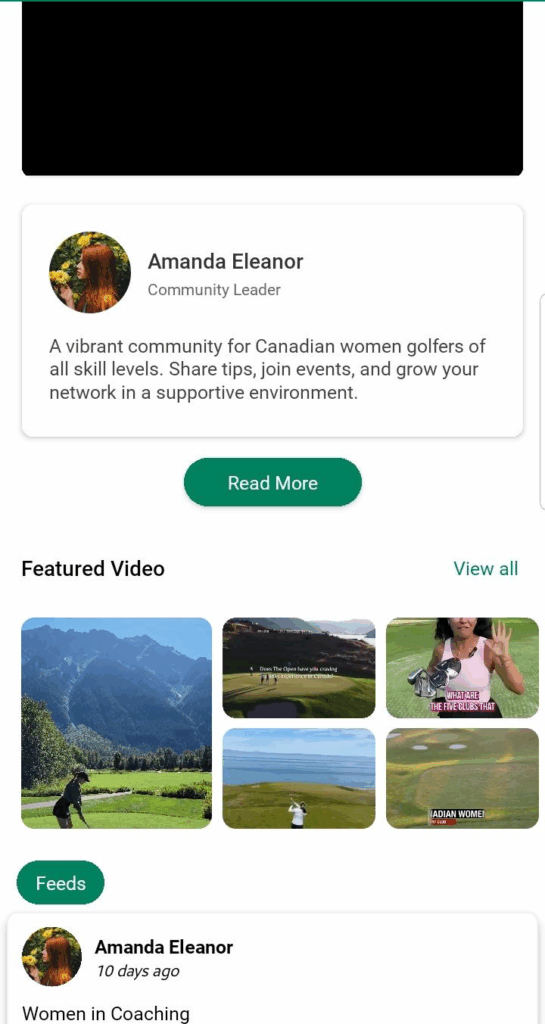
The Community Detail Page is a public-facing screen that allows Golfguiders users to explore communities, view their content, and optionally send a join request. Depending on the community’s visibility (public or private), users will have varying levels of access to the content and interaction features.
This page serves as the community’s primary identity space — providing insight into its purpose, members, events, and shared content.
Access
- Path: Accessible via the main Community navigation tab.
- Availability: Public to all users, regardless of login status.
- Interaction: Users can send join requests to private communities and interact with public ones.


Access Control
- Public Communities:
- All users can view posts, like, and comment.
- Can send join requests.
- Private Communities:
- Only community creator and approved members can see posts.
- Other users see only:
- About tab
- Home tab (with counters and join button)
- Cannot access posts or media
Notes
- All data shown is dynamically retrieved and updated in real-time.
- Join requests are sent to the community creator for approval.
- Posts and interactions (likes/comments) follow standard platform behavior.
- Media playback in featured videos is supported based on user device.