
This module allows community admins to manage members and handle join requests effectively. Admins can view all current members, handle pending join requests, and send invites to new members. The goal is to keep the community organized, secure, and collaborative.
Access
sidebar Menu > Manage > Tap on any community to access Manage Community screen
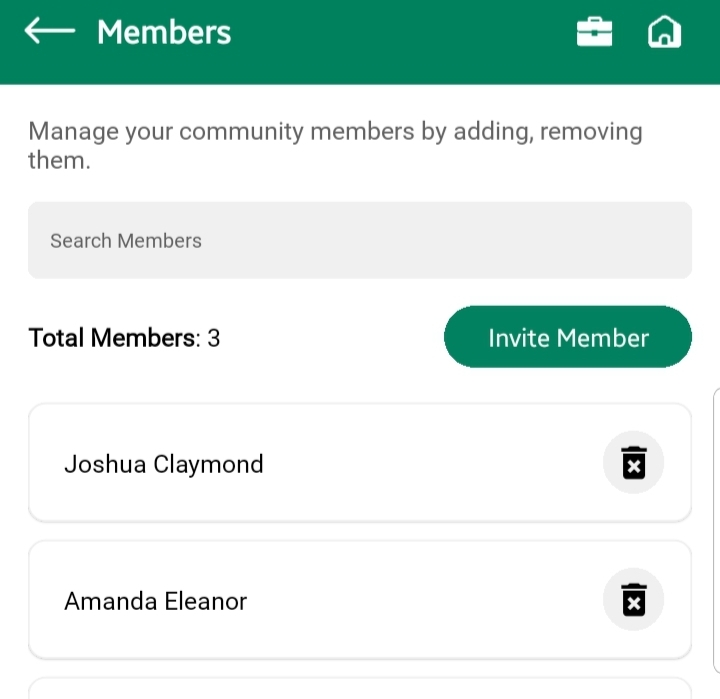
View Members
Displays all approved members of the community.
- List View: Member profile image, full name, email, and joined date.
- Filter/Search: Search by name
- Remove Member button (if needed).
Notes:
- Removing a member does not delete their past activity unless specified.
- Members are added only after request approval or manual invite.
Invite New Member
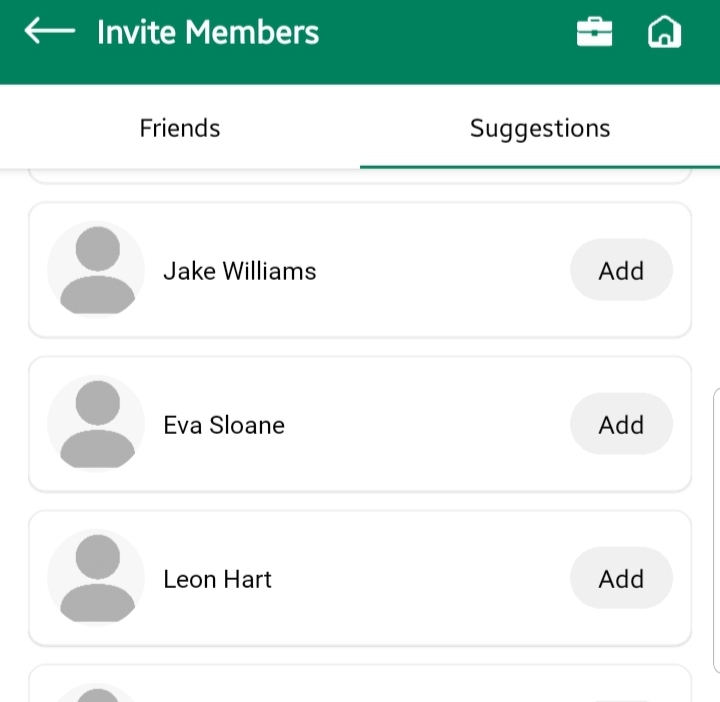
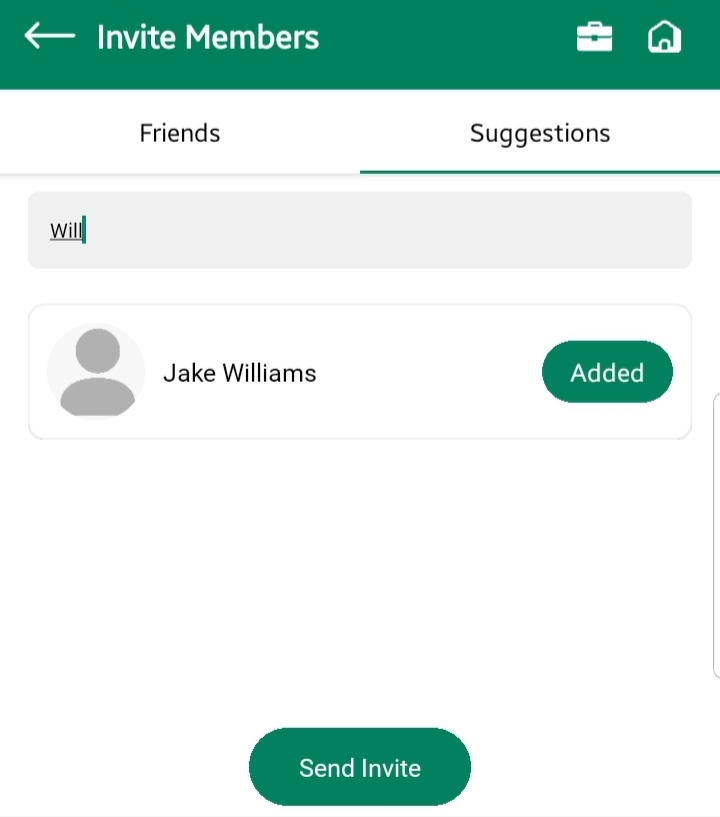
Admins can manually invite people to join the community.
- Invite Button (top right or in empty state)
- Switch tabs and select multiple users
- After selecting necessary users, Tap on “Send Invite” button
On Send Invite:
- Email is sent to the invitee.
- in-app notification is sent to invitee
Requests
Displays a list of pending requests to join the community.
- List View: Profile image, name, email, and request date.
- Accept / Reject buttons.
Accepting a Request:
- Moves the user to the approved Members list.
- Sends a confirmation email/notification.
Rejecting a Request:
- Removes the request from the list.
- sends a rejection notification and email to the user
Best Practices
- Review pending requests regularly.
- Avoid accepting unknown profiles—verify details.
- Use “Invite” for known users to ensure secure onboarding.
- Keep member list clean by removing inactive users.