
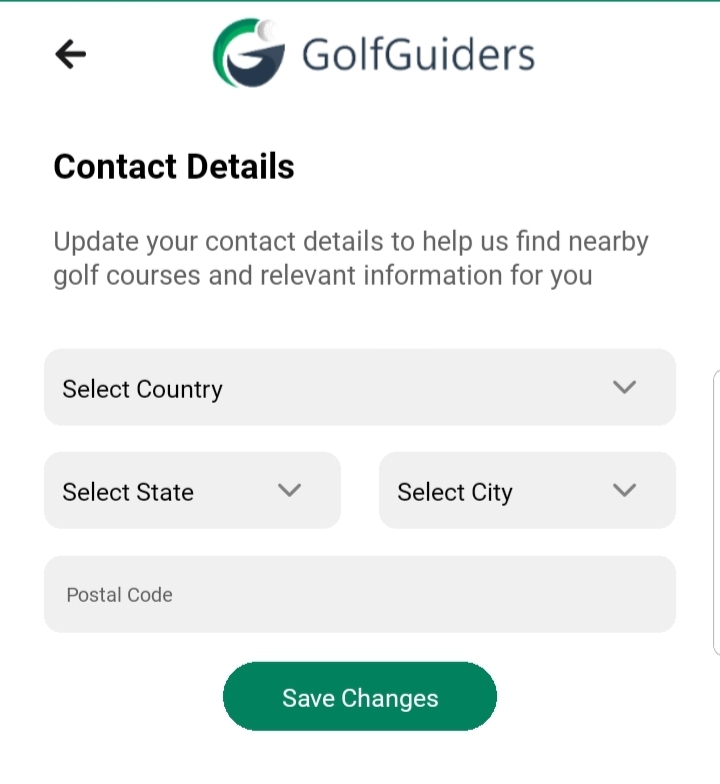
The Contact Information section collects essential location details to personalize your experience within the GolfGuiders app. This data ensures accurate recommendations, such as nearby golf courses, tournaments, and services, tailored to your region.
While these details enhance your in-app experience, your contact information remains private and is never shared publicly.
Access
- Navigate
- to Settings > Profile > Edit Profile.
- to your Public Profile > Edit Profile
- Step 1: Personal Information.
Required Feilds
- Country, State, City
Select your current country, state, and city. This helps the app display relevant content, local golf courses, and regional news updates. - Postal Code
Enter your postal code to improve regional accuracy for services and filtering.
Notes
- This section is mandatory for all users to unlock region-specific features like GPS navigation, course discovery, and local tournament participation.
- All entered details remain confidential and are used solely for enhancing your personalized experience.
✅ Tip: Keep your contact details updated when relocating to ensure continuous access to the most relevant features and services.