
The Experience section is designed exclusively for coaches to showcase their professional background and associations with golf courses. Completing this section is essential for building credibility, enabling bookings, and linking services to verified locations.
Golfers do not see or fill this section.
Access
- Navigate
- to Settings > Profile > Edit Profile.
- to your Public Profile > Edit Profile
- Step 1: Personal Information.
Purpose
- Establish your professional reputation within the GolfGuiders community.
- Enable golfers to evaluate your expertise based on your affiliations and experience.
- Unlock the ability to create availability in the Booking Calendar.
Required Fields
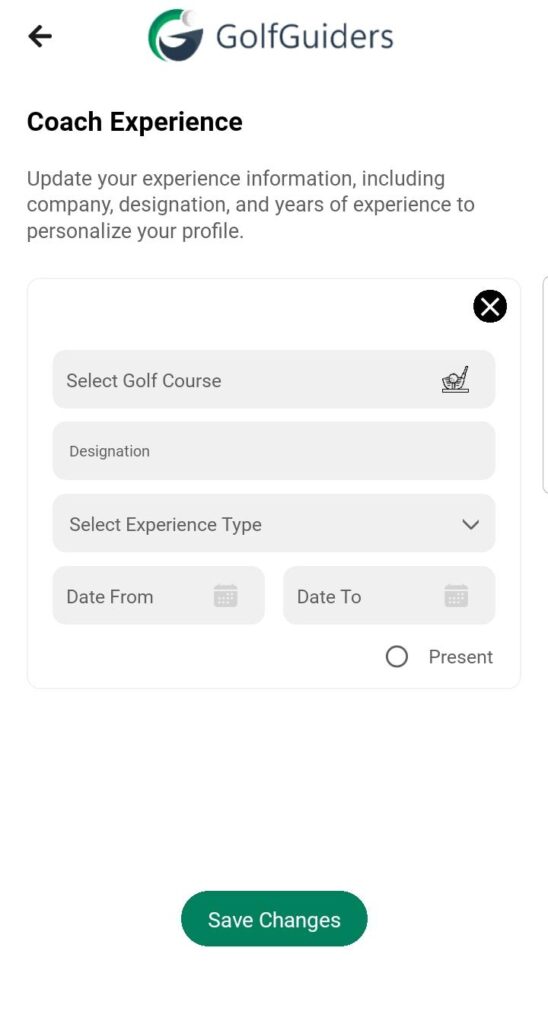
- Golf Course Name
Select from nearby golf courses where you have coaching experience. Only these courses will appear in your booking options later. - Designation
Your professional title or role at the golf course, such as Head Coach or Trainer. - Experience Type
Define your proficiency level as either:- Pro
- Intermediate
- Date Range
Specify your tenure period with optional “Present” selection if it’s ongoing.
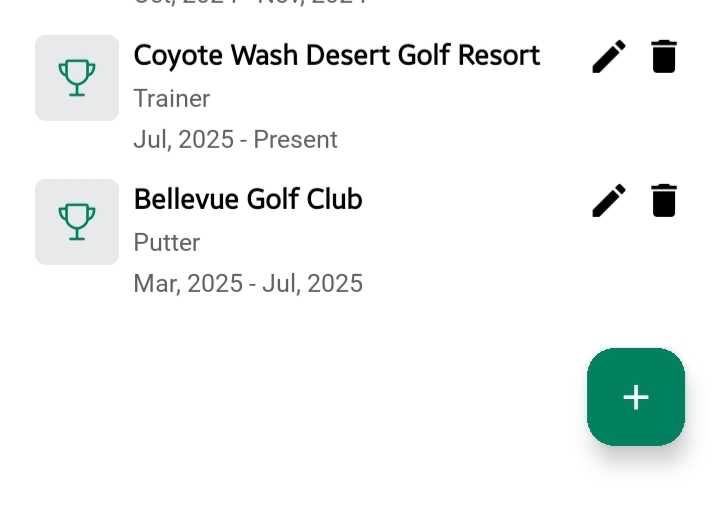
Manage Experience Cards
Once added, each experience entry is saved as a card:
- View: Review the details of your added experience.
- Edit: Update information if your role or details change.
- Delete: Remove outdated or incorrect experiences.
Important Notes
- You must add at least one experience before you can access the Booking Calendar.
- The golf courses listed in this section directly link to where your availability can be scheduled.
✅ Tip: Keep your experience updated to ensure your services and availability reflect your current affiliations.