
The My Orders section helps you track and manage all your purchases made through the GolfGuiders Shop. This ensures transparency, lets you stay updated on your order statuses, and gives you access to detailed information for each order.
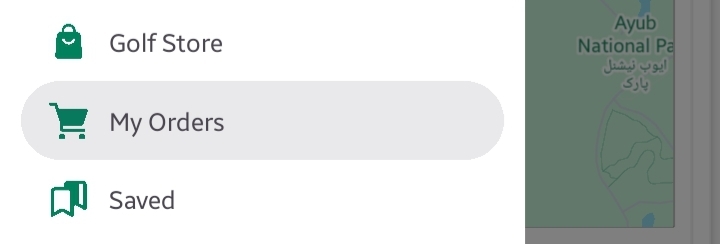
You can access My Orders from the Side Menu > My Orders.
The My Orders screen is divided into two tabs:
- My Orders – for active, delivered, or canceled purchases.
- My Refunds – for tracking your refund or return requests. Learn More
Search and Filters
At the top:
Search Bar – Search for a specific product by name.
Tabs for Status Filtering:
- In Progress: Orders being processed or shipped.
- Delivered: Orders that have been successfully delivered.
- Cancelled: Orders that were canceled before completion.
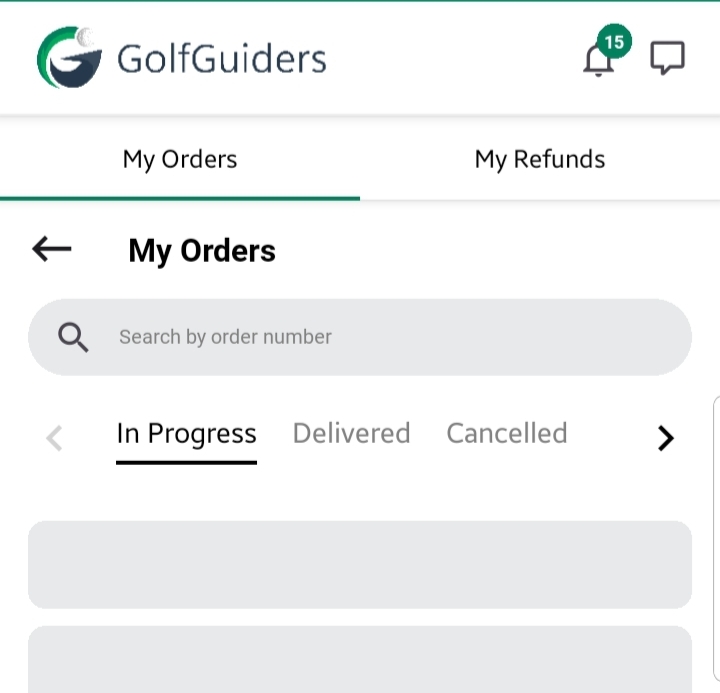
Switch between these tabs to view respective orders easily.
Order Cards
Each order is displayed as a card showing:
- Product Image
- Product Title
- Price
- Quantity
- Current Status (In Progress, Delivered, Cancelled)
Tapping an order card opens the Order Details screen.
Order Details
In the Order Details screen, you can view:
- Shipping Address – where the product was delivered.
- Customer Info
- Product Information
- Current Status
- Product Activity Timeline:
A chronological log showing shipment stages, such as:- Order Processed
- Shipped via FedEx or USPS
- Arrived at the post office
- Out for Delivery
- Delivered
This timeline helps you track where your order is in real-time logistics (may vary by region).
Why Use My Orders?
- Track all your purchases in one place.
- Monitor order statuses to stay informed.
- Access past purchases for reference or reordering.
📌 Tip: Always verify your shipping address before confirming the order to ensure smooth delivery.