
Once all rounds are completed and every player has submitted scores for their holes, the tournament automatically moves into the Ended state.
- Organizer Capabilities
- Cannot edit or modify any tournament details.
- Cannot add or update scores anymore.
- Can only view results and final standings.
- Player Capabilities
- Can view all tournament results in detail.
- Can compare performances across all rounds.
- Can expand individual player scorecards for a deeper look at performance.
At this stage, the tournament is locked for scoring and only historical data is available. The Leaderboard is the primary focus in the Ended state.
Scorecards:
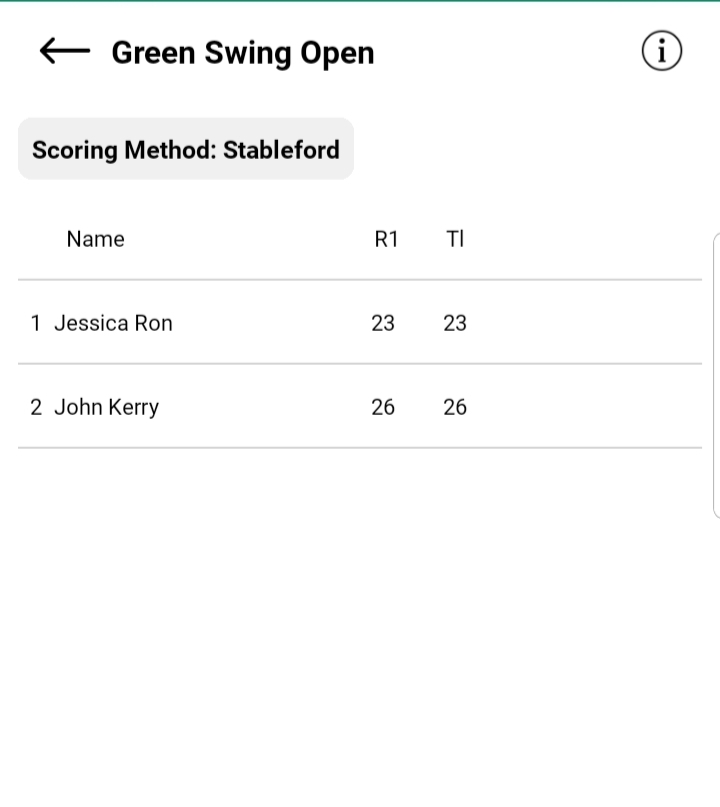
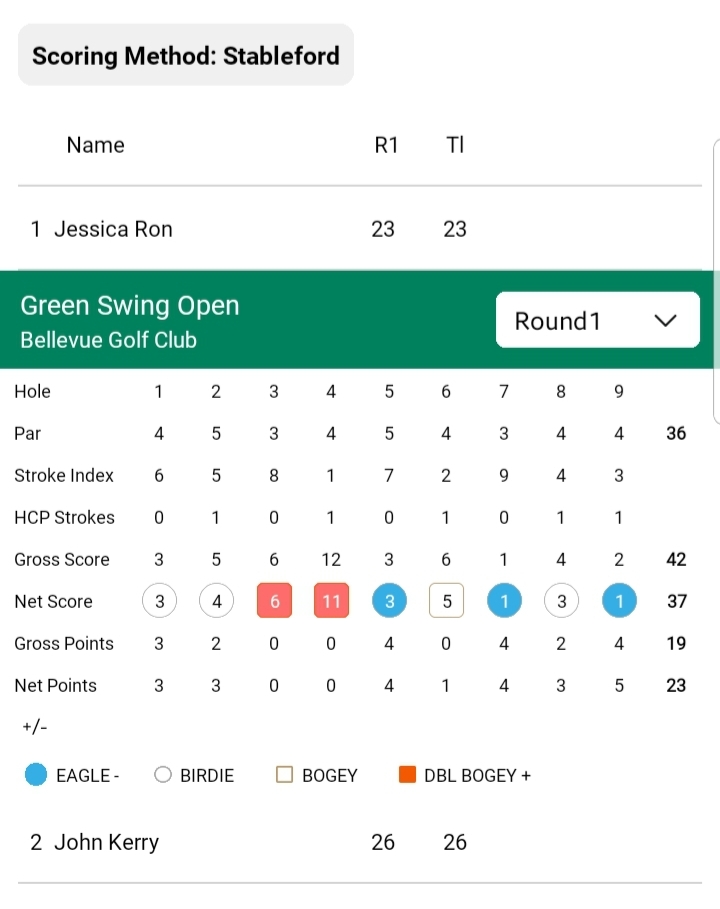
- Each player’s final scorecard is listed.
- By default, cards are collapsed for a quick glance at totals.
- Tapping on a player’s card expands it, showing hole-by-hole details.
Rounds:
- A Round Number dropdown is available at the top.
- Users can switch between different rounds (R1, R2, etc.).
- The leaderboard refreshes dynamically to show scores for the selected round.
This allows users to easily track how players performed across different rounds, and not just view totals.