
Once the scheduled date and time arrive, the tournament card automatically shifts from Upcoming to Live state. This marks the official start of the tournament.
- Organizer Capabilities:
- Can no longer edit core tournament details (e.g., name, format, teams).
- Can still manage scores, results, and other ongoing updates.
- Can delete the tournament if necessary (though this action should be used with caution).
- Player Capabilities:
- Can view all tournament details in real time.
- Can access the Leaderboard, which now shows live updates as scores are recorded.
- Players with granted permissions can contribute score updates.
The Live state represents the active phase of the tournament where matches are played, scores are tracked, and the leaderboard begins to take shape.
Leaderboard
The Leaderboard provides a centralized view of all players’ scores throughout the tournament.
- Scorecards:
- Each player’s scorecard is listed on the leaderboard.
- By default, scorecards are collapsed for a quick overview.
- Tapping on a player’s score will expand their scorecard, allowing users to view detailed hole-by-hole scores.
- Rounds:
- A dropdown menu is available to switch between different rounds.
- Selecting a round updates the leaderboard to show scores specific to that round.
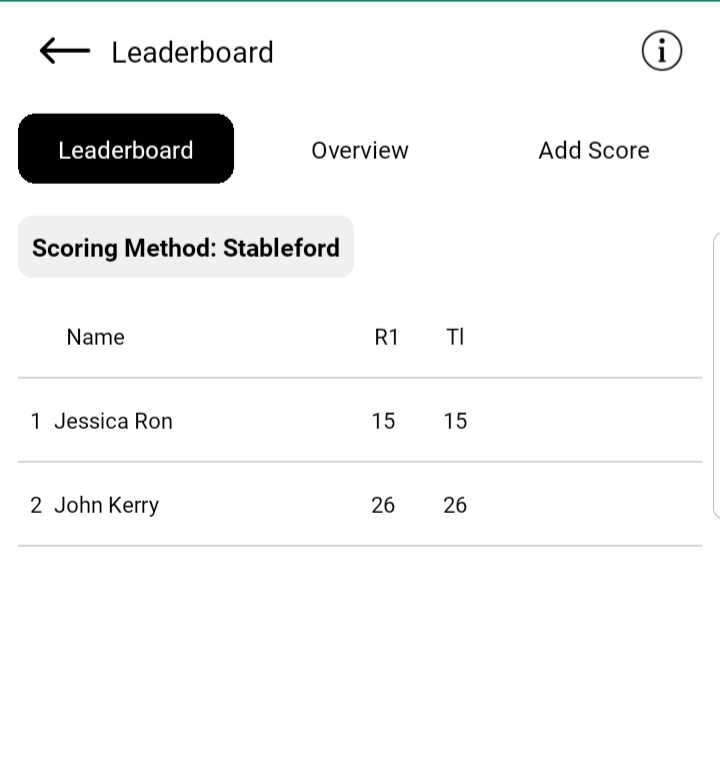
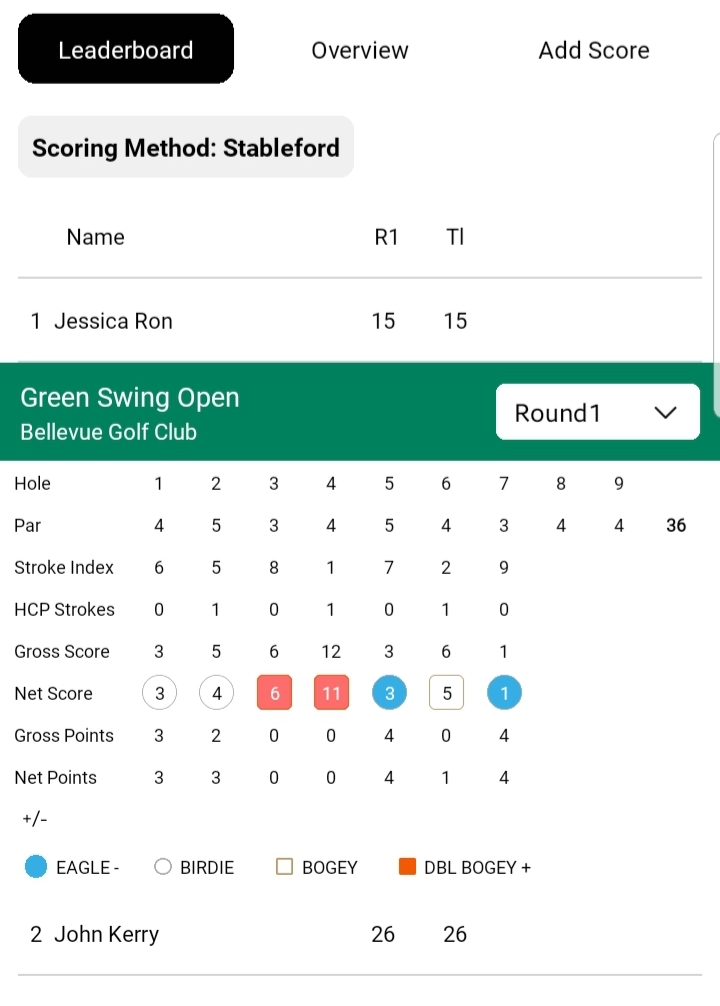
The leaderboard helps users track progress in real time, compare performances, and dive deeper into individual player stats when needed.
Overview
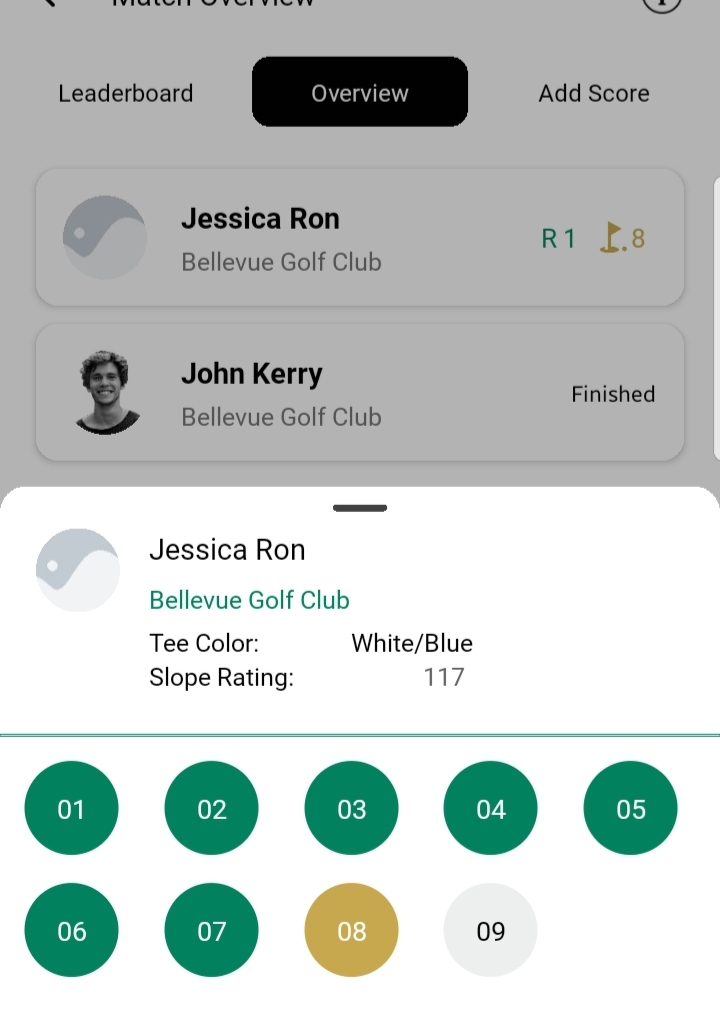
Players card shows brief info about the current situation
Or users can tap on any player card to view full details i.e their slope rating or their current hole
Add Score
When the tournament enters the Live state, this tab becomes active. At this point, players and users who have been granted score-adding permissions by the organizer can start entering scores. Until the tournament begins, the tab remains inactive and only serves as a placeholder, showing that scoring will be available once matches are live.
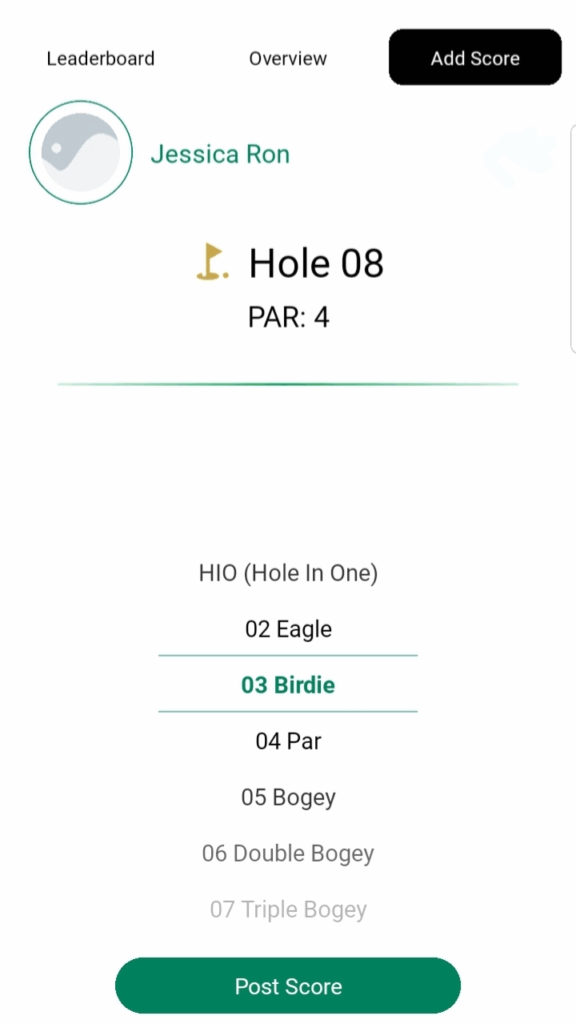
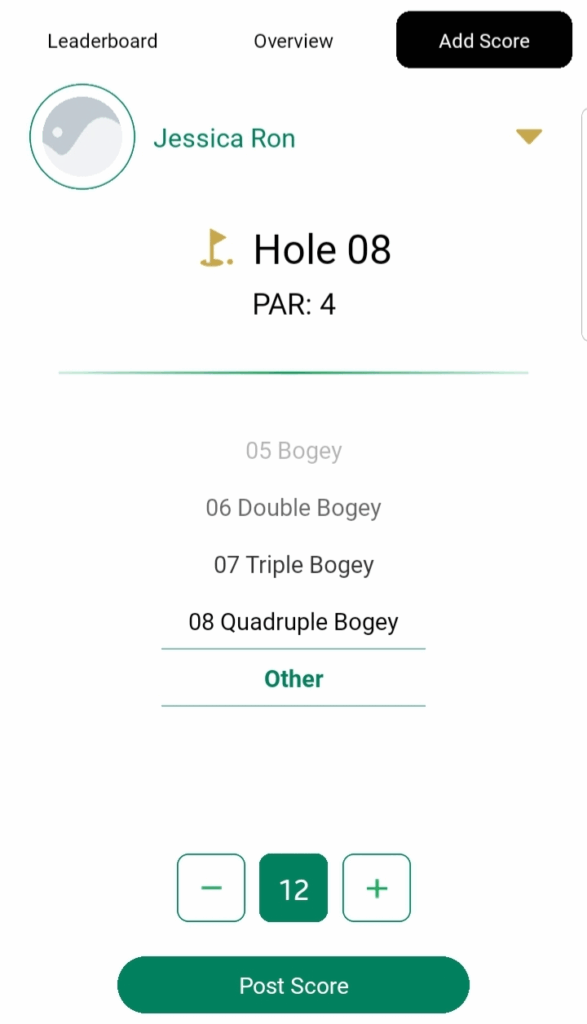
Users can tap on any of the available score values or scroll down to select a custom value (up to a maximum of 20). After choosing the score, they can tap Post Score to record it for the current hole and then proceed to the next hole.