
The Create Trip Brand feature allows you to build your own travel brand inside the app. Each user can create one brand only, which becomes your identity for showcasing trips and packages.
Where to Find It
Go to Sidebar Menu → Manage Menu → Create Trip Brand.
This will open the form to set up your brand.
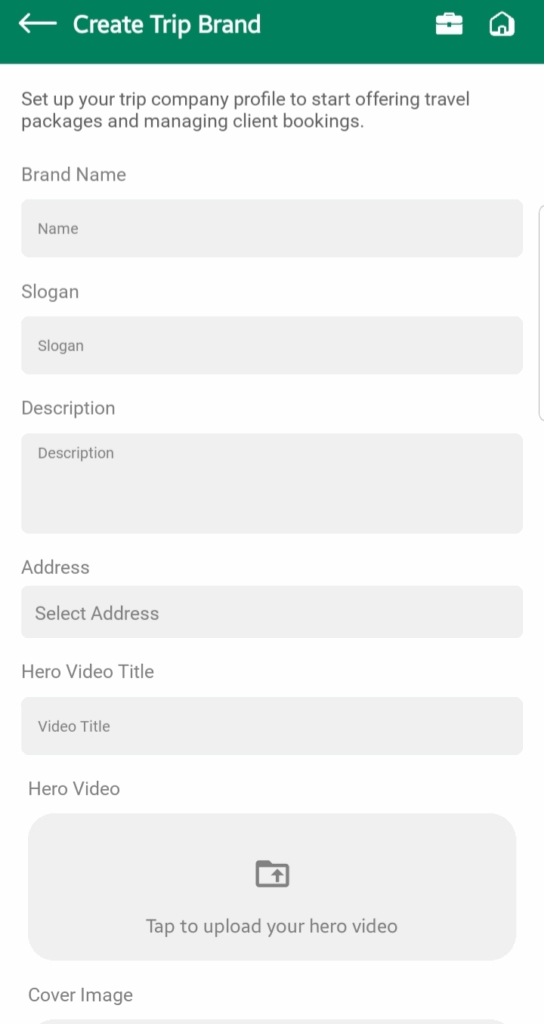
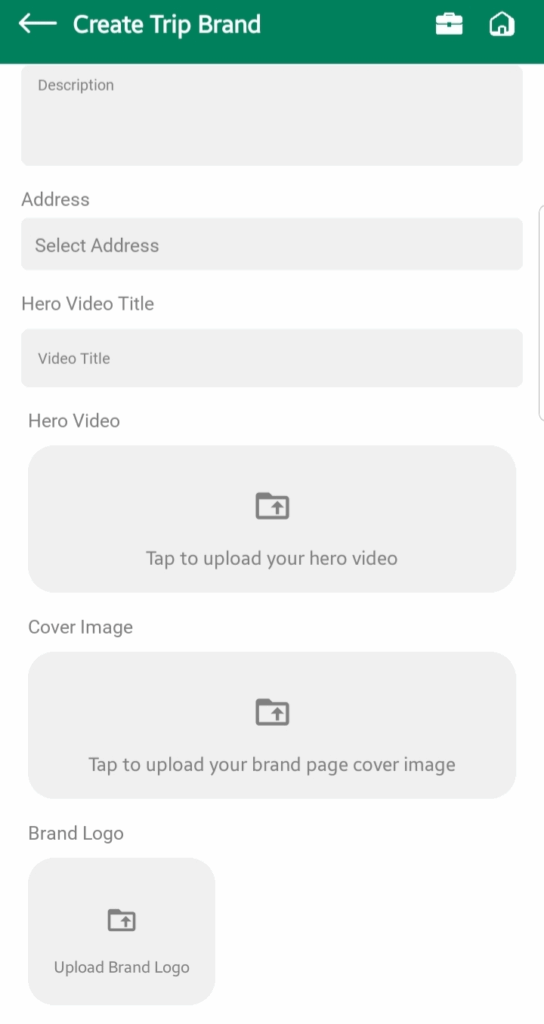
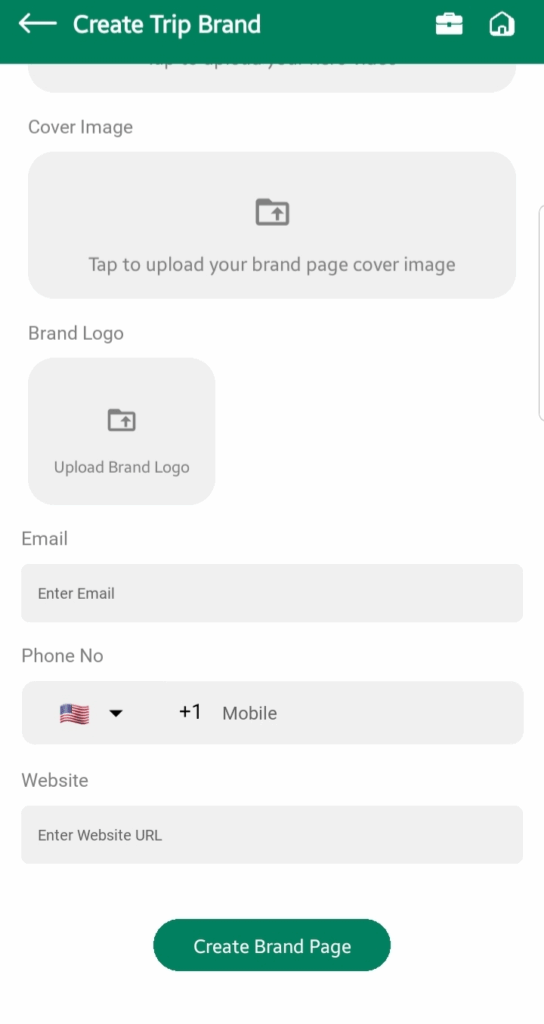
Creating Your Brand
You will see a form with fields to fill in:
Brand Name
- What it is: The official name of your brand.
Tip: Use your actual business name or a simple, memorable name. Avoid long or complicated words.
Slogan
- What it is: A short tagline that represents your brand’s personality.
- Example: “Discover the world with us” or “Luxury trips, unforgettable memories”.
Best Practice: Keep it under 7 words, easy to remember, and inspiring.
Description
- What it is: A short “About Us” introduction for travelers.
Best Practice: Focus on your unique services (e.g., family trips, adventure tours, luxury packages). Keep it friendly and clear.
Address
- Select Country, State, City from dropdowns.
- Add your Full Address in the text field.
Note: This helps the system show your packages to nearby users.
Hero Video & Title
- Upload a video and give it a title.
Best Practice: Use a short video (30–60 sec) introducing your brand, services, or destinations. Keep it high-quality and engaging.
Cover Image
- A large banner shown at the top of your brand page.
Tip: Use an attractive travel image (e.g., landscapes, group trips, or destinations).
Brand Logo
- Your official logo, displayed as your profile photo.
Best Practice: Upload a clear, high-resolution version of your logo with a transparent background if possible.
Contact Info
- Email, Phone Number, and Website.
Note: Make sure these are correct and active. Travelers may contact you directly.
Rules & Editing
- You can only create one brand.
- Brands cannot be deleted directly. If you must remove it, contact Golguiders Support.
- You can edit your brand details, packages, and any booking or consultation requests anytime.
Who Can See Your Brand
- Your Packages are shown only to users who live in the departure city or nearby.
- Your Brand Page can only be opened from a Package Detail screen.
Best Practices
- Keep your brand identity professional – avoid slang or unclear names.
- Upload good visuals (logo, cover, video) to build trust.
- Update your description and contact info regularly.
- Respond quickly to consultation queries – fast replies increase bookings.
- Keep packages relevant to your target audience (city/region).