
This module handles the shopping cart experience, including cart item listings, shipping options, address selections, and order summary leading up to the payment process. It ensures that only valid configurations proceed to checkout and adapts based on user login status and vendor delivery permissions.
Select Shipping Address
Before your order is dispatched, we need to know where to send it:
- Your default shipping address will appear automatically.
- To change or update it, tap the Pencil icon to add or edit the address.
- You’ll be redirected to Addresses Screen
✅ Tip: Always ensure your shipping address is accurate and up to date to avoid delivery delays.
Confirm Billing Address
You’ll find a checkbox labeled “Billing address same as shipping address.”
- If your billing and shipping addresses are the same, just leave it checked.
- If not, uncheck it to add a separate billing address. Learn More.
🔹 What is Billing Address?
The billing address is the one linked to your payment method. It helps verify your identity with the bank or card issuer and prevents fraud.
Cart Items Section
Displays a list of all items added to the cart. Each cart item includes:
- Product Image
- Product Name
- Editable Quantity Field
- Allows users to increase or decrease quantity.
- Quantity must not exceed available stock (validation handled).
- Shipping Method Dropdown
Visible only if:
– The vendor allows delivery to that address.
– The selected shipping address is valid
Shipping Method includes:
– Ground Advantage
– Priority
– Express
- If conditions are not met, the shipping dropdown remains hidden, and the user cannot proceed to checkout.
Real-Time Price Update:
Updating quantity or removing products instantly recalculates the Total Price, ensuring transparency in cost.
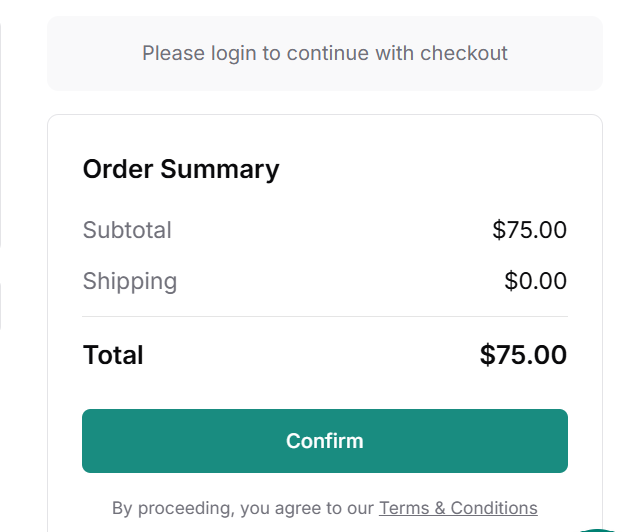
Checkout Prompt
At the bottom of the Order summary there’s a Confirm button.
Clicking it will prompt you to the Checkout process, where you can define your payment details to place an order.
We do not store your card information on GolfGuiders servers. All payments are processed securely through certified providers.