The Invoices section enables sellers to view and manage all invoices generated for their orders. This helps sellers keep track of payments and access invoice receipts easily.
The Invoice page provides a comprehensive view of all seller invoices, helping track order payments and access detailed receipts. It consists of a summary card, searchable table, and PDF receipt access for each transaction.
Top Card
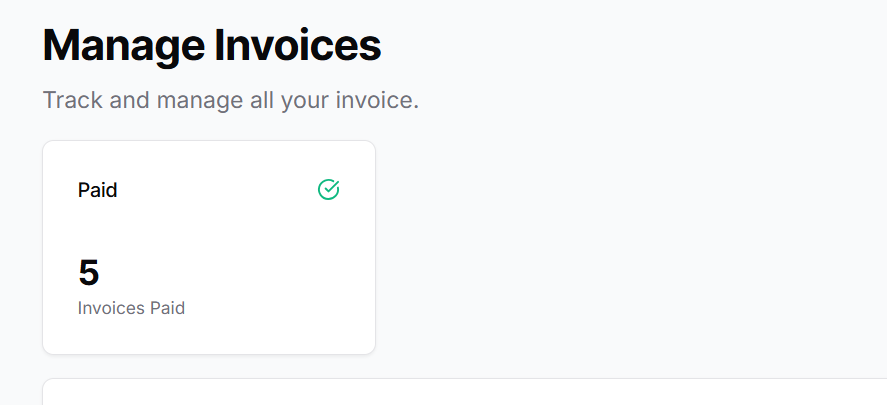
A summary card at the top shows the Total Paid Invoices, giving sellers a quick overview of how many invoices have been successfully paid.
Invoices Table
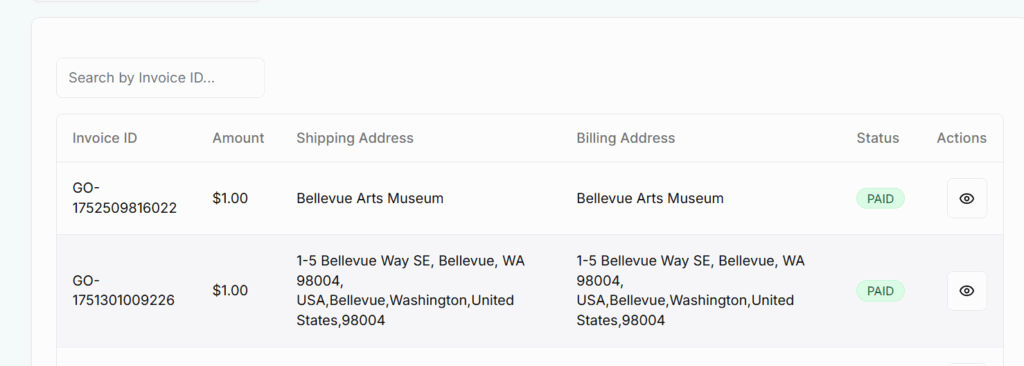
Sellers can browse all invoices in a structured table format. A search bar allows filtering invoices by any field for quick access.
Search Bar
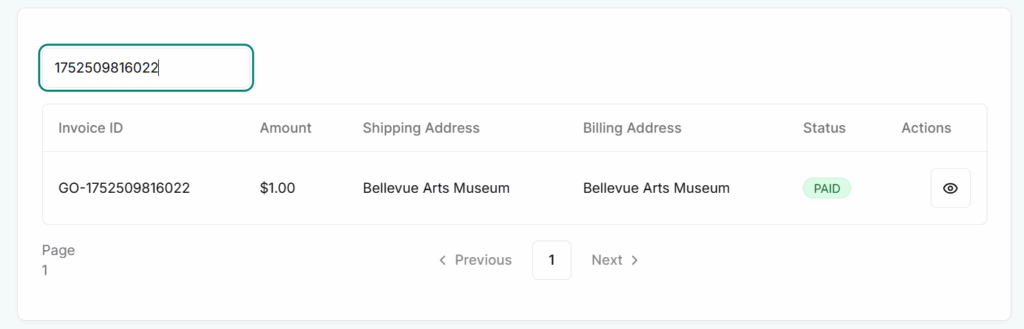
Allows users to search invoices by Invoice ID.
Filters the table results in real-time for quicker access.
Table Columns:
Invoice ID – Unique ID assigned to each invoice.
Amount – The total amount received or due for the order.
Shipping Address – Where the product was delivered.
Billing Address – Where the invoice is officially billed.
Status – Displays whether the invoice is Paid or Pending.
Action (Eye Icon) – Allows the seller to View Receipt in PDF format. This opens a printable/downloadable invoice.
Functionality
Invoices auto-update based on order and payment status.
Receipts provide detailed breakdowns including product, quantity, tax, discounts, and platform fees if applicable.
Only paid invoices are counted in the summary card.
Pending invoices stay listed until payment is confirmed.
Best Practices
Review Auto-Generated Invoices: Ensure all invoice details (amount, taxes, addresses) are accurate.
Download Regularly: Keep offline copies of your invoices for accounting and tax purposes.
Send to Customers if Needed: Always be ready to share invoice PDFs with buyers if requested.
Match with Payouts: Regularly cross-check invoice totals with payouts to ensure accuracy.
Use for Reporting: Use invoice history for performance tracking and business analytics.